
Quick response
Quick Answer: The most reliable VIN location for the Audi A6 (C5) is the engine bay bulkhead / plenum chamber (firewall stamp). It is typically stamped into the metal near the center of the firewall just below the windshield cowl, and may be hidden under a plastic cover or rubber weather strip—bring a flashlight because it’s shadowy and often dirty.
![VIN location Audi A6 C5 (C5) [1998-2004]](/_astro/vin-location-audi-a6-c5-c5-1998-2004.DjZ9Dkl6.webp)
Where is the VIN number in Audi A6 (C5) (C5) [1998-2004]?
This guide shows where to find the VIN (chassis number) on the Audi A6 C5 produced between 1998–2004, including the stamped body VIN and the factory VIN sticker locations.
Chassis Number Locations
Engine Bay (Bulkhead / Plenum Chamber) 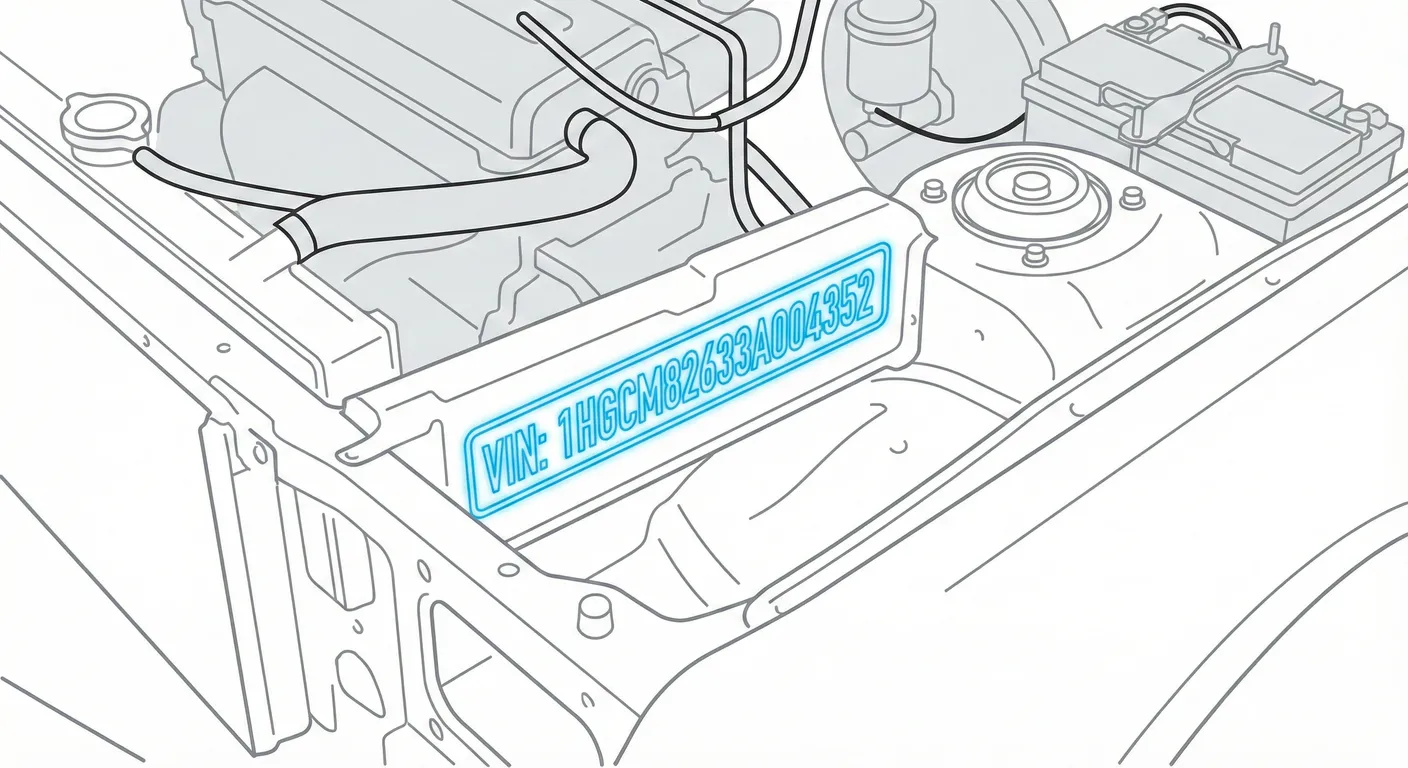
- Where to look: Open the hood and look at the firewall/bulkhead area directly below the windshield cowl (plenum chamber). The VIN is stamped into the metal, roughly centered, often near the battery / heater box area. You may need to lift the rubber weather strip or remove/loosen the plastic plenum cover to see the stamping.
- Access: Moderate. Expect leaves/grime buildup in the plenum—scrub/wipe the metal stamp area to read it. A trim tool or flat screwdriver can help you pry up clips carefully, and a flashlight helps with shadows.
- Note: This location is consistent across Sedan (Saloon) and Avant (Wagon), and applies to both LHD and RHD—only your working position changes.
- Tip: If the stamping is grimy or faint, use ScanVin.app’s high-contrast camera + OCR to scan it directly instead of guessing worn characters.
Dashboard (Windshield Corner) 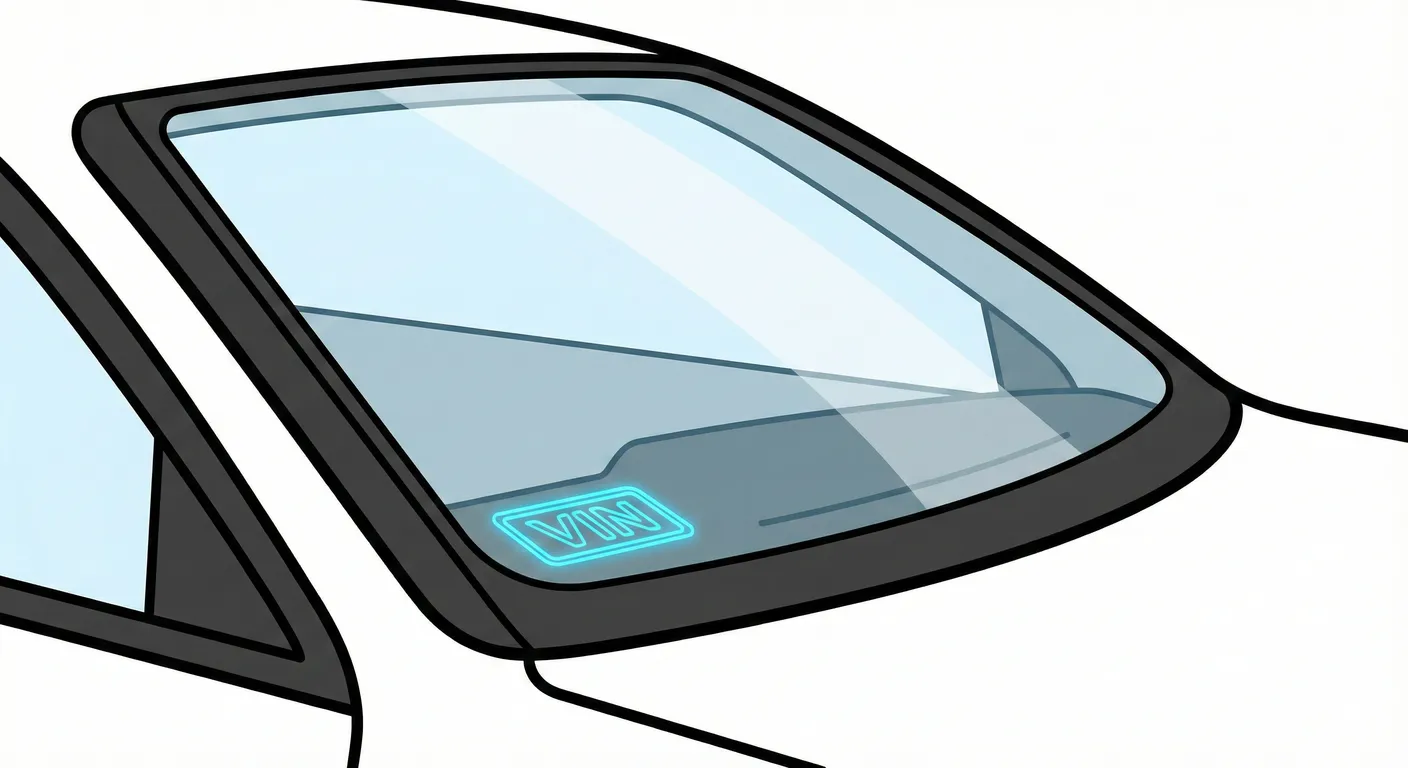
- Where to look: From outside the car, check the lower driver-side corner of the windshield for a small VIN plate/tag visible through the glass (near the dash top).
- Access: Low to Moderate. The VIN can be hard to read due to glare/reflections and the angle through the glass.
- Note: Many US-spec cars have this visible plate; some European-market cars of this era may not show a readable VIN through the windshield or it may be obscured.
- Tip: To beat reflections and transcription errors, capture it with your phone at an angle and let OCR read the string for you.
Production / Option Sticker (Spare Wheel Well) 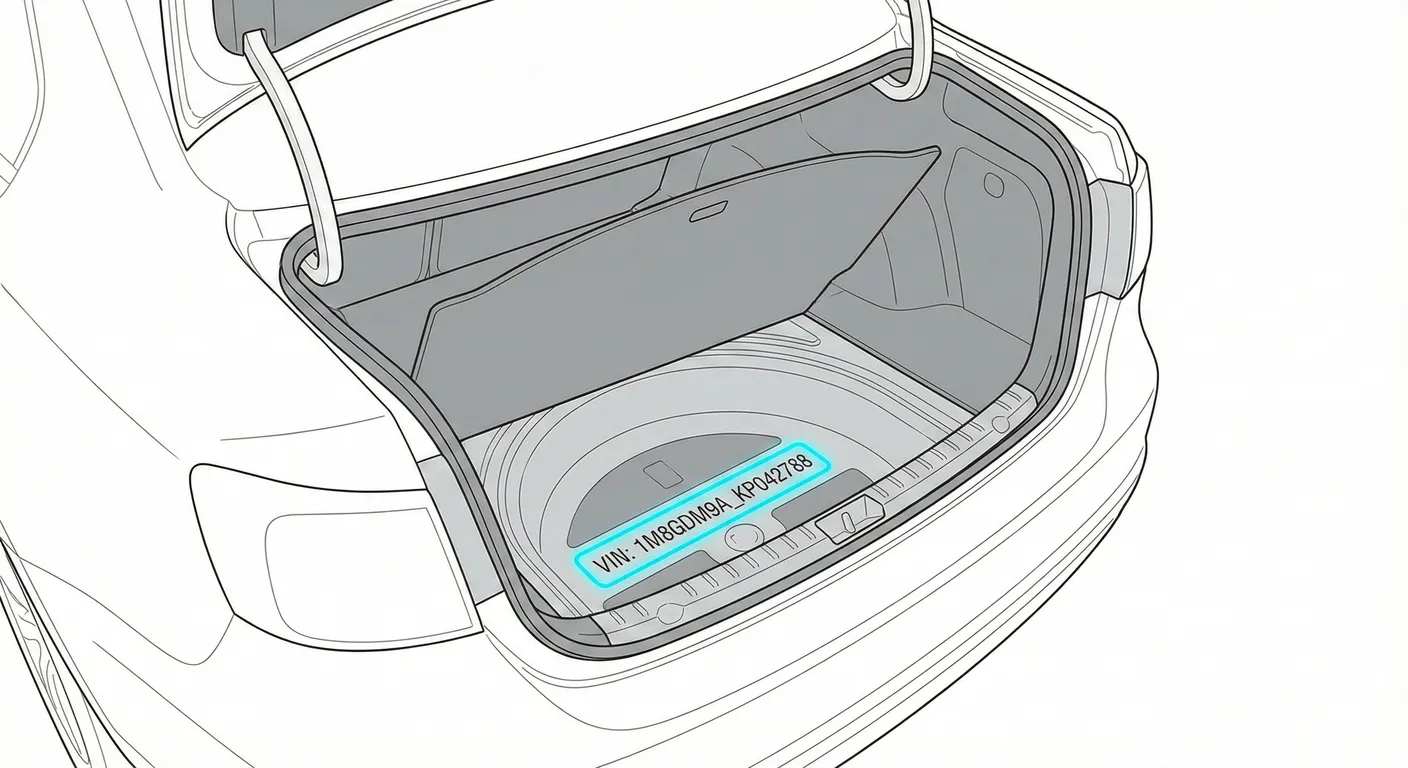
- Where to look: Open the trunk and lift the floor carpet/mat. Look for a white paper production/option sticker in or near the spare wheel well (commonly on the left side of the well or on the trunk floor under the carpet). This sticker usually lists the VIN, plus paint code and PR option codes.
- Access: Moderate. You’ll likely need to empty the trunk, lift the heavy floor panel, and peel back trim. Stickers may be torn, water-damaged, faded, or peeling with age.
- Note: Sedan vs Avant access differs slightly (cargo floor design), but the sticker concept and area are the same.
- Tip: Because the sticker is high-contrast when intact, use the free VIN reader to scan it quickly without misreading similar characters (8/B, 0/O, 1/I).
Video Guide
(No video published for this model in the provided sources — the supplied videos were rejected as they do not show an Audi A6 C5.)
Common Problems & Troubleshooting
- Plenum chamber dirt hides the stamp: Leaves and grime build up under the windshield cowl—wipe and scrub the stamped metal before trying to read it.
- Windshield glare makes digits look wrong: Move your body/camera angle, shade the VIN area with your hand, and avoid direct sun reflections.
- Sticker VIN isn’t a legal VIN stamp: The trunk sticker is useful, but always match it to the stamped body VIN (engine bay) to confirm the car hasn’t been re-tagged.
Frequently Asked Questions
Where is the VIN on Audi A6 (C5)?
Check the stamped VIN in the engine bay on the firewall/bulkhead below the windshield cowl (plenum chamber). You can also find the VIN on the lower driver-side windshield corner (if equipped) and on the production/option sticker in the spare wheel well under the trunk floor.
Which VIN location is the most important for Audi A6 (C5)?
The stamped VIN on the body (engine bay bulkhead/firewall) is the most important because it’s the physical identifier tied to the chassis. Windshield plates and trunk stickers are helpful, but should match the stamped VIN.
Ready to scan?
Start the scanner and scan the VIN in seconds. No registration, no fees.
Check other generations of this model
Note on Data Sources
Information about VIN location in this model comes from aggregation of official technical documentation (OEM) and spare parts catalogs. Despite careful algorithmic verification, the data is for reference purposes only. Final vehicle identification should always be confirmed by an authorized technician.
See how we verify data and build our database →