
Quick response
Quick Answer: The most reliable VIN location for the BMW Seria 1 (F52) is the VIN sticker on the driver’s door B-pillar. It’s printed on a regulatory label in the door jamb area when you open the driver’s door. Expert tip: door-jamb lighting can be dim—use your phone light to read it clearly.
![VIN location BMW Seria 1 (F52) [2017-2018]](/_astro/vin-location-bmw-seria-1-f52-2017-2018.Dg_KCzG2.webp)
Where is the VIN number in BMW Seria 1 (F52) ([2017-2018])?
This guide shows where to locate the VIN (Vehicle Identification Number) on the BMW Seria 1 (F52) produced between 2017–2018, including the easiest places to check first and the more hidden backup spots.
Chassis Number Locations
Driver’s Door B-Pillar (Sticker) 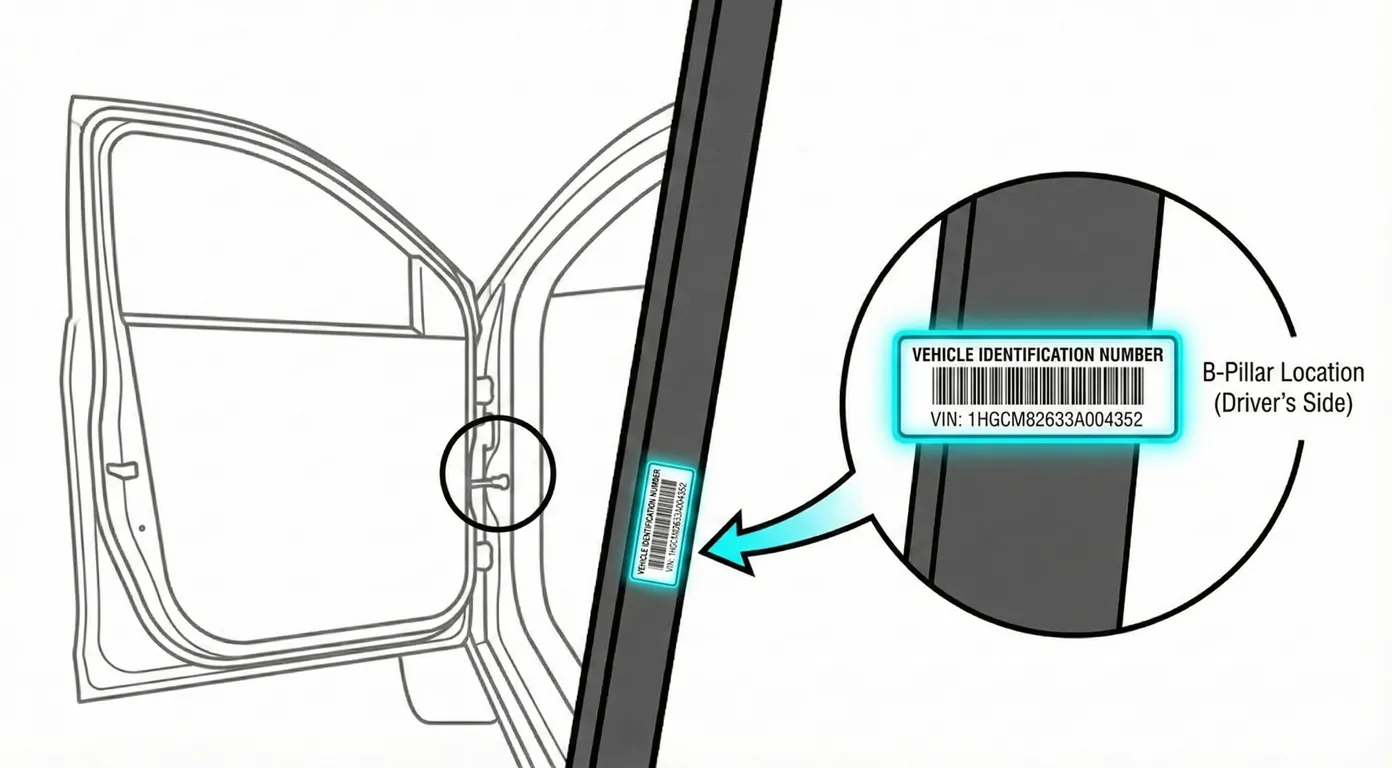
- Where to look: Open the driver’s door and check the B-pillar door jamb (the vertical metal frame between the front and rear doors). The VIN is printed on a black regulatory sticker, typically lower on the pillar.
- Access: Usually easy to access, but the jamb area can be shadowy and the print is small.
- Note: The vehicle context provided is LHD (left-hand drive), so this sticker is expected on the left side when you open the driver’s door.
- Tip: If the jamb is dark, use your phone’s light and scan it directly with the VIN reader to avoid misreading small characters.
Windshield (Lower Corner) 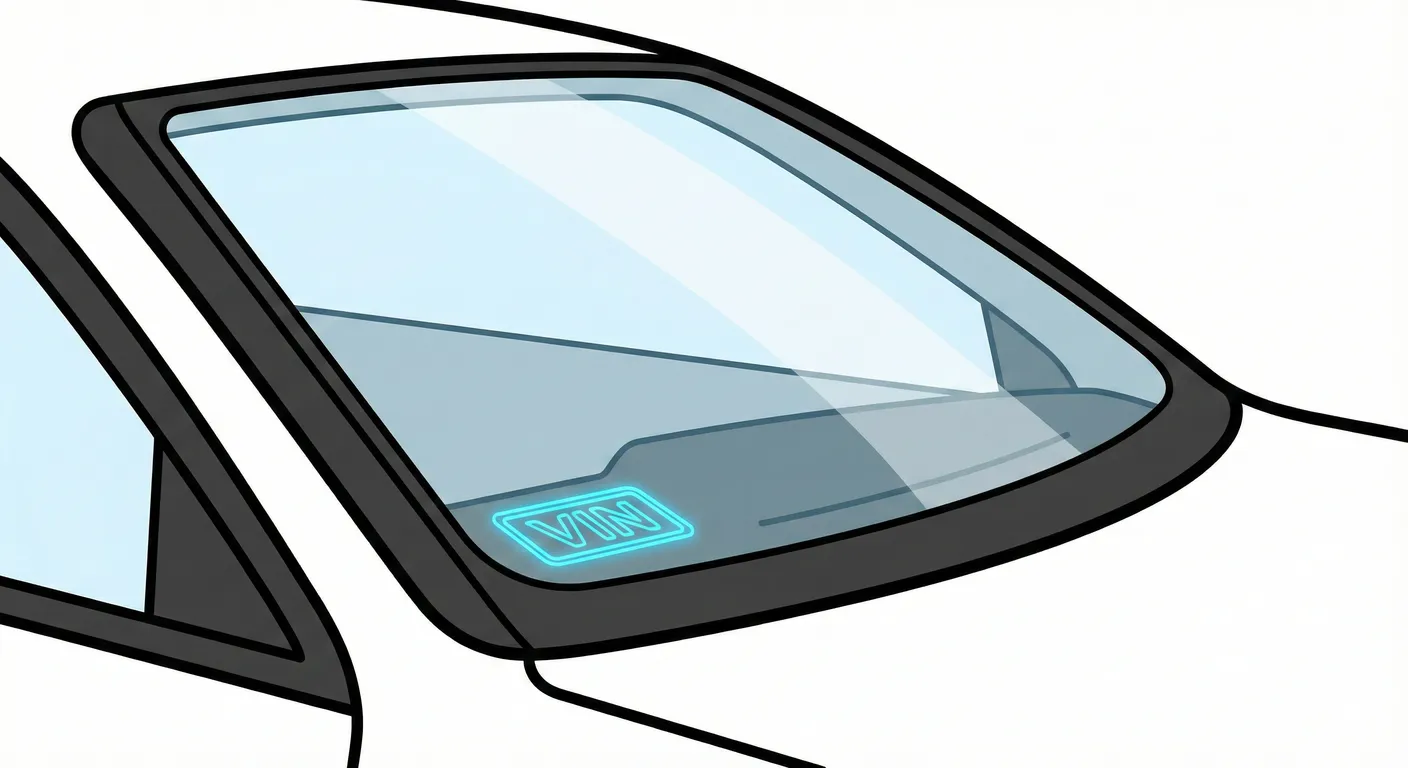
- Where to look: From outside the car, look through the lower passenger-side corner of the front windshield; the VIN plate sits on the dashboard near the cowl and is visible through the glass.
- Access: Quick to check, but often affected by glare/reflections (sky/clouds) and dirt on the windshield.
- Note: On LHD cars, this location is typically on the right side of the windshield (passenger side).
- Tip: Block reflections with your hand or step to a different angle, then capture it with your phone using ScanVin so you don’t have to transcribe it through glare.
Engine Bay (Strut Tower) 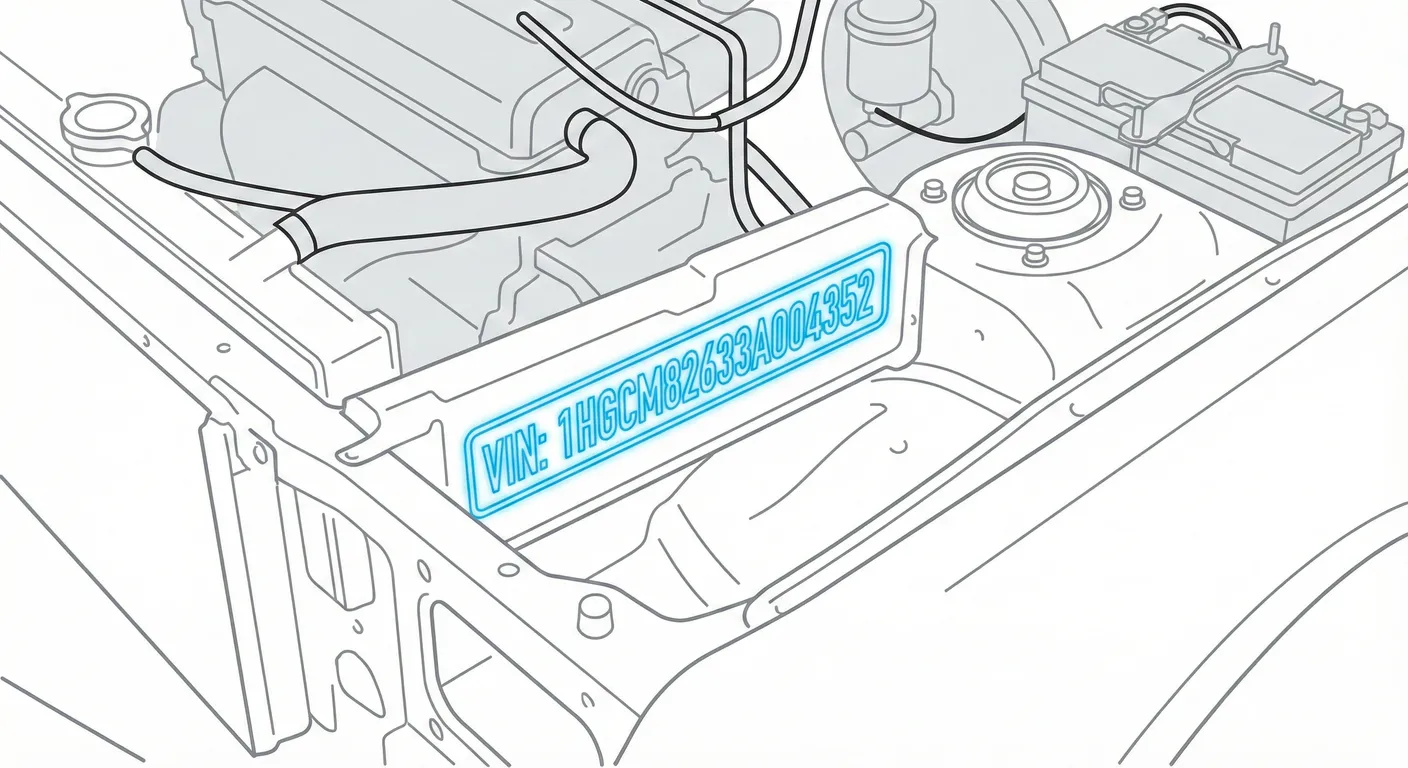
- Where to look: In the engine bay, locate the passenger-side suspension strut tower and look for the VIN stamped into the metal on top of the shock tower dome.
- Access: May be dusty/grimy and can sit in harsh light or shadow; wiping the stamping often makes it readable.
- Note: On LHD cars, “passenger side” is the right side of the engine bay (as viewed from the driver’s seat).
- Tip: If the stamping is dirty or faint, wipe it and use High Contrast scanning in ScanVin to pull the characters out of the metal texture.
License Plate Area (Rear Trunk) 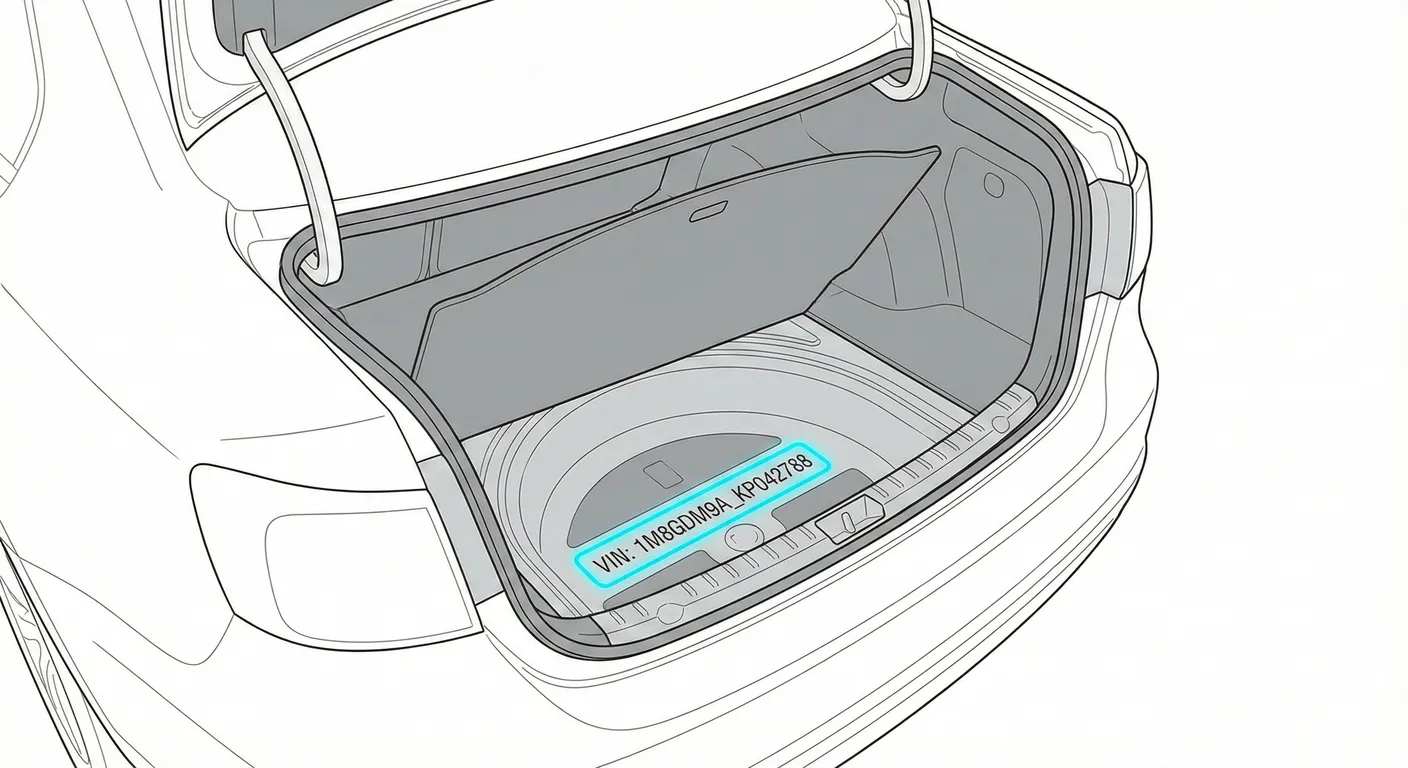
- Where to look: On the trunk lid behind the rear license plate, there may be a VIN sticker hidden under the plate.
- Access: High effort—usually requires a screwdriver to remove/loosen the plate to view the sticker.
- Note: This is a backup check, not a quick verification point.
- Tip: If you do remove the plate, scan the sticker with your phone instead of writing the VIN down while working in an awkward position.
Instrument Cluster (Digital) 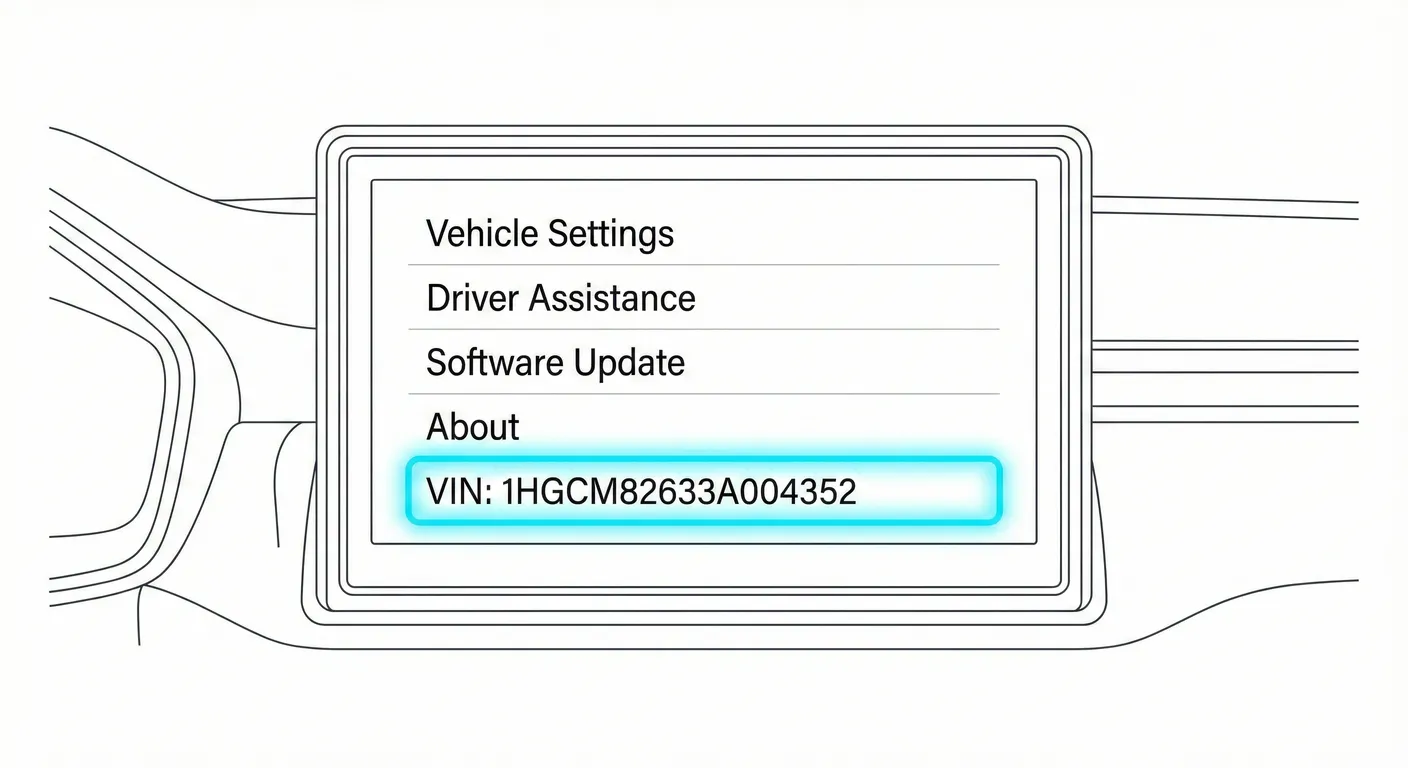
- Where to look: The VIN can be displayed in the digital instrument cluster via vehicle menus (often through a hidden/service menu or settings depending on software).
- Access: Requires vehicle power and the correct button/menu sequence; not as fast as checking physical labels.
- Note: Best used as a verification method if you suspect a sticker has been replaced.
- Tip: If you’re comparing VINs across locations, scan the physical VIN with ScanVin to reduce transcription mistakes while cross-checking.
Video Guide
Common Problems & Troubleshooting
- Windshield glare/reflections: If the VIN is washed out through the glass, change your viewing angle and shade the area with your hand.
- Engine bay grime: Stamped VINs can be hard to read when dusty—scrub lightly with a rag before checking.
- Sticker validity warning: Door-jamb VIN labels can be damaged or replaced after repainting/repairs—always cross-check at least two VIN locations before buying.
Frequently Asked Questions
Where is the VIN on BMW Seria 1 (F52)?
Start with the VIN sticker on the driver’s door B-pillar (door jamb). Then check the VIN plate visible through the lower passenger-side windshield corner.
Which VIN location is the most important for BMW Seria 1 (F52)?
The best practice is to match at least two sources: the door-jamb VIN label for quick ID and a second VIN from a harder-to-alter location (a stamped VIN in the engine bay, if present). Matching VINs across locations helps detect swapped panels or cloned identity.
Ready to scan?
Start the scanner and scan the VIN in seconds. No registration, no fees.
Check other generations of this model
Note on Data Sources
Information about VIN location in this model comes from aggregation of official technical documentation (OEM) and spare parts catalogs. Despite careful algorithmic verification, the data is for reference purposes only. Final vehicle identification should always be confirmed by an authorized technician.
See how we verify data and build our database →