
Quick response
Quick Answer: The most reliable VIN location for the Mazda 6 is the manufacturer’s label on the B-pillar. It’s typically located on the center door post when you open the front door, and it’s easy to read without tools.
![VIN location Mazda 6 I (GG/GY/GG1) [2003-2007]](/_astro/vin-location-mazda-6-i-gggygg1-2003-2007.DhefbR--.webp)
Where is the VIN number in Mazda 6 (I (GG/GY/GG1) [2003-2007])?
This guide covers the VIN (chassis number) locations for the Mazda 6 I (GG/GY/GG1) produced between 2003–2007—where to look, how to access each spot, and how to scan it cleanly.
Chassis Number Locations
1) B-Pillar Manufacturer Sticker 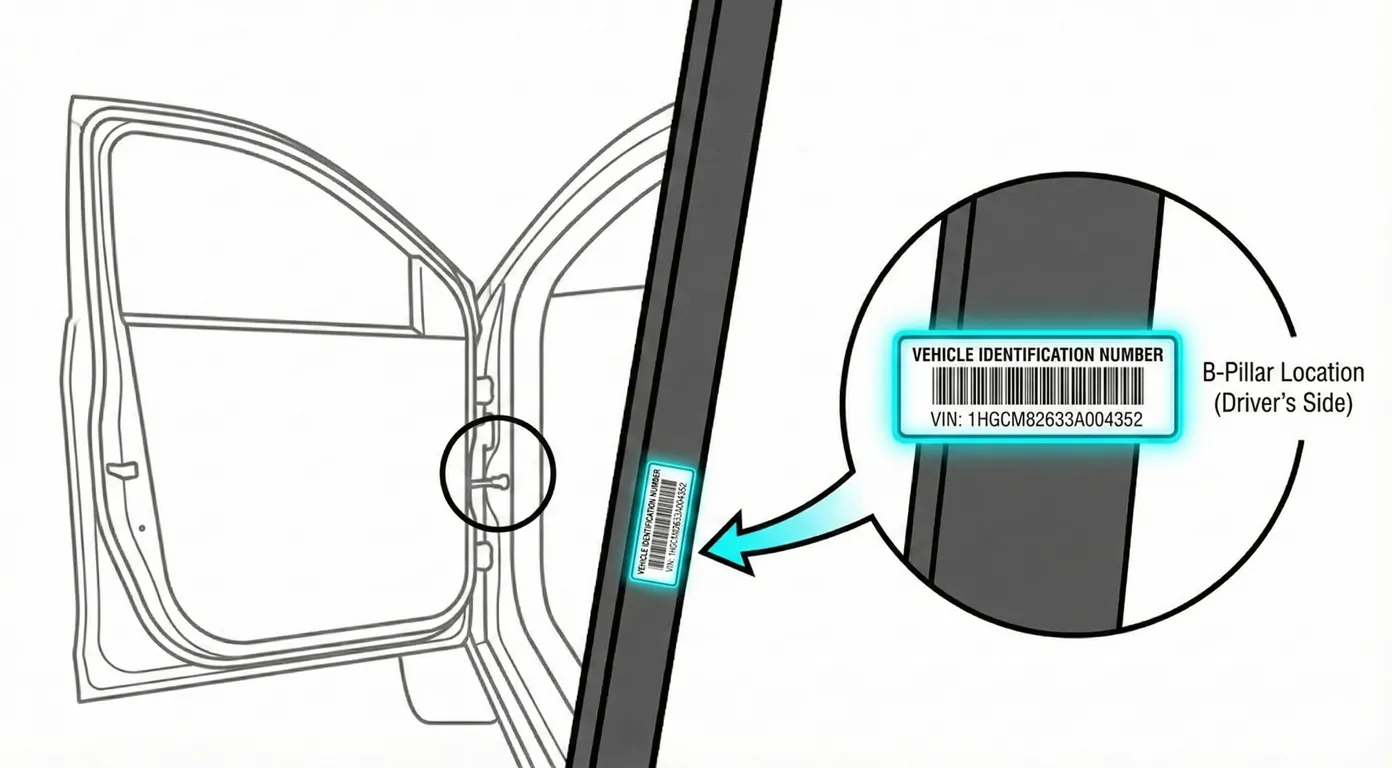
- Where to look: Open the front door and inspect the B-pillar (center door post). Look for a black manufacturer label on the lower section of the pillar with VIN, paint code, and weight ratings.
- Access: Very easy—just open the door. No tools needed. Usually high contrast and readable if the label hasn’t been peeled or faded.
- Note: This location is consistent across markets; you’re simply reading the printed VIN label rather than a stamped metal VIN.
- Tip: If the print is small, slightly angled, or you want to avoid transcription mistakes, scan the label directly with your phone for fast VIN capture.
2) Cabin Floor (Chassis Stamp Under Carpet Flap) 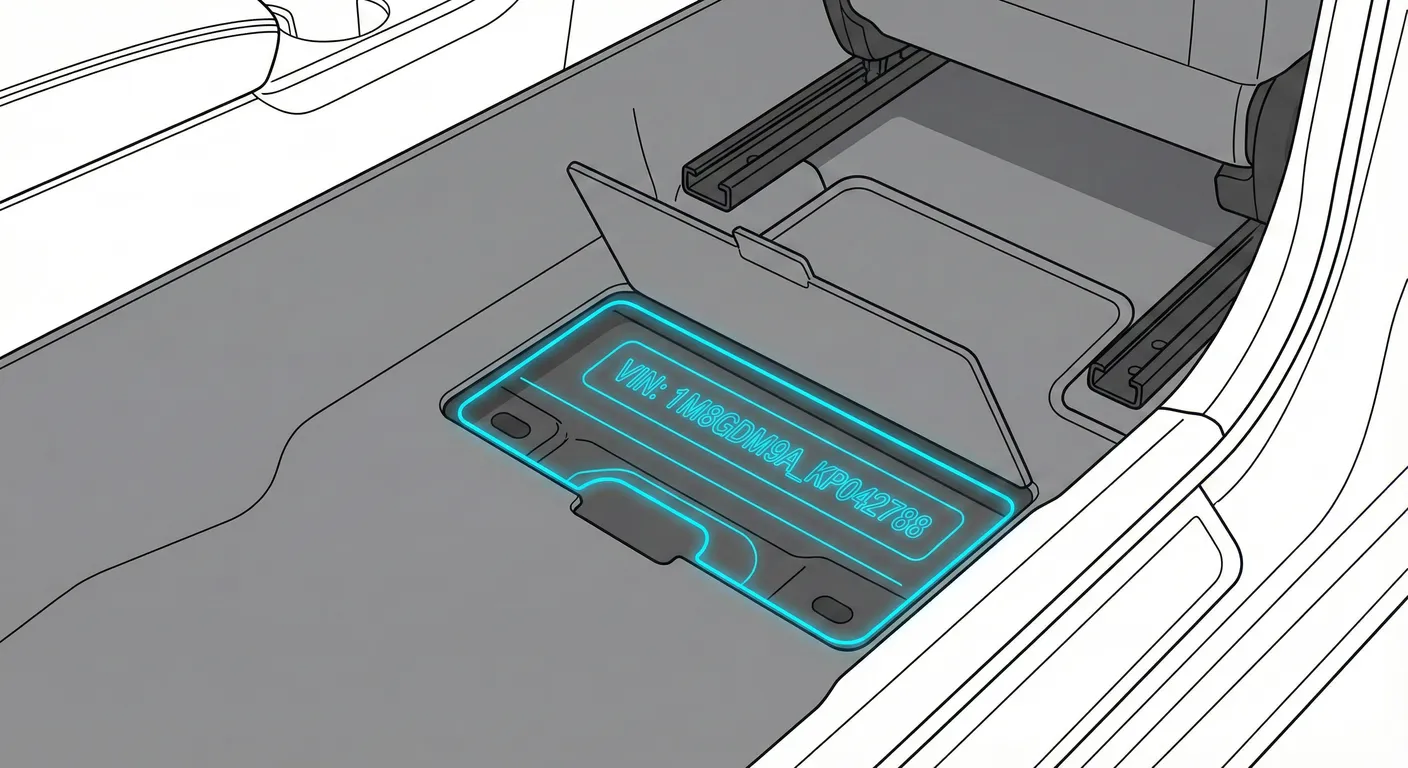
- Where to look: In the front footwell floor, under the front floor mat, there’s typically a plastic access flap set into the carpet. Lift the mat, then lift the rigid plastic flap to reveal the VIN stamped into the steel underneath.
- Access: Moderate. You’ll need to remove the floor mat and pry/lift the plastic flap. The stamping can be dusty, and the footwell is usually dark—use a flashlight.
- Note: Left/Right can vary by market. On many LHD cars the floor stamping is commonly on the passenger-side front footwell, but if you don’t find it there, check the driver-side footwell as well.
- Tip: Because this area is dark and the stamp can be low-contrast, use Flash + OCR by scanning it with ScanVin.app instead of trying to read it at an awkward angle.
3) Engine Bay Firewall (Stamped VIN) 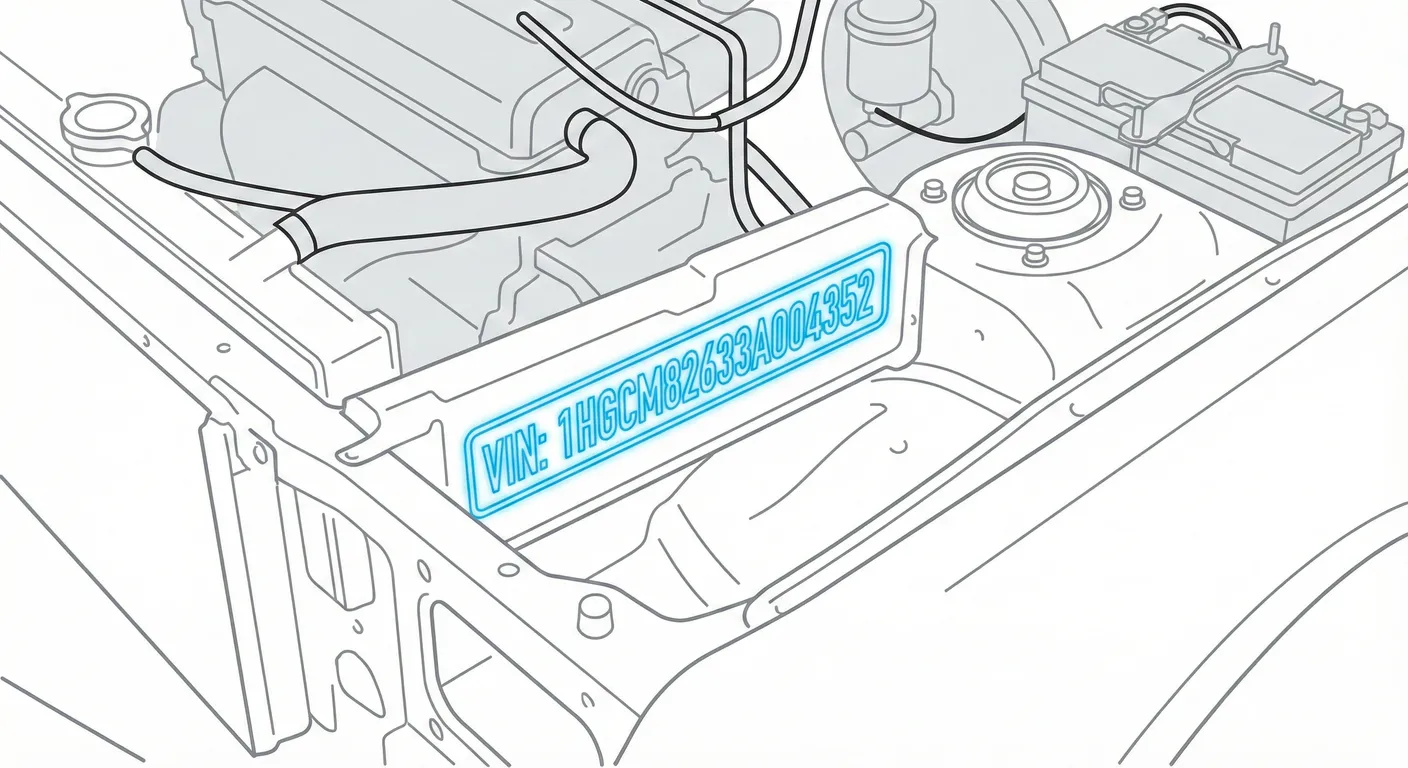
- Where to look: In the engine bay, locate the firewall/bulkhead near the cowl (base of the windshield). The VIN is stamped directly into the metal, often central but slightly offset, positioned behind the engine area near the upper firewall.
- Access: Moderate. You may have to lean in and change your viewing angle; hoses/engine components can block light and create shadows. The stamping can also be body-colored, reducing contrast.
- Note: If your engine bay is dusty or the stamp is faint, clean gently before attempting to read it.
- Tip: When the stamping blends into the paint or sits in shadow, use High Contrast AI scanning to pull the characters out cleanly.
Common Problems & Troubleshooting
- Floor stamp not visible: Lift the floor mat fully, then pry up the plastic access flap; scrub the metal lightly if dust/debris is hiding the stamped characters.
- Firewall stamp hard to read: Change your angle to reduce shadows and glare; wipe the surface and re-check—body-colored stamps can look “invisible” in low light.
- B-pillar sticker missing or mismatched: Stickers can be replaced—always cross-check against at least one stamped VIN location (floor/firewall) before buying or registering the car.
Frequently Asked Questions
Where is the VIN on Mazda 6?
Check the manufacturer label on the B-pillar (center door post when you open the front door). Also check the stamped VIN under the front floor mat beneath the plastic access flap.
Which VIN location is the most important for Mazda 6?
For verification, the stamped VIN locations (floor or firewall) are the most important because they’re physically stamped into the body. The B-pillar label is convenient for quick reading, but it should match the stamped VIN.
Ready to scan?
Start the scanner and scan the VIN in seconds. No registration, no fees.
Check other generations of this model
Note on Data Sources
Information about VIN location in this model comes from aggregation of official technical documentation (OEM) and spare parts catalogs. Despite careful algorithmic verification, the data is for reference purposes only. Final vehicle identification should always be confirmed by an authorized technician.
See how we verify data and build our database →