
How Does Our VIN Scanner Work?
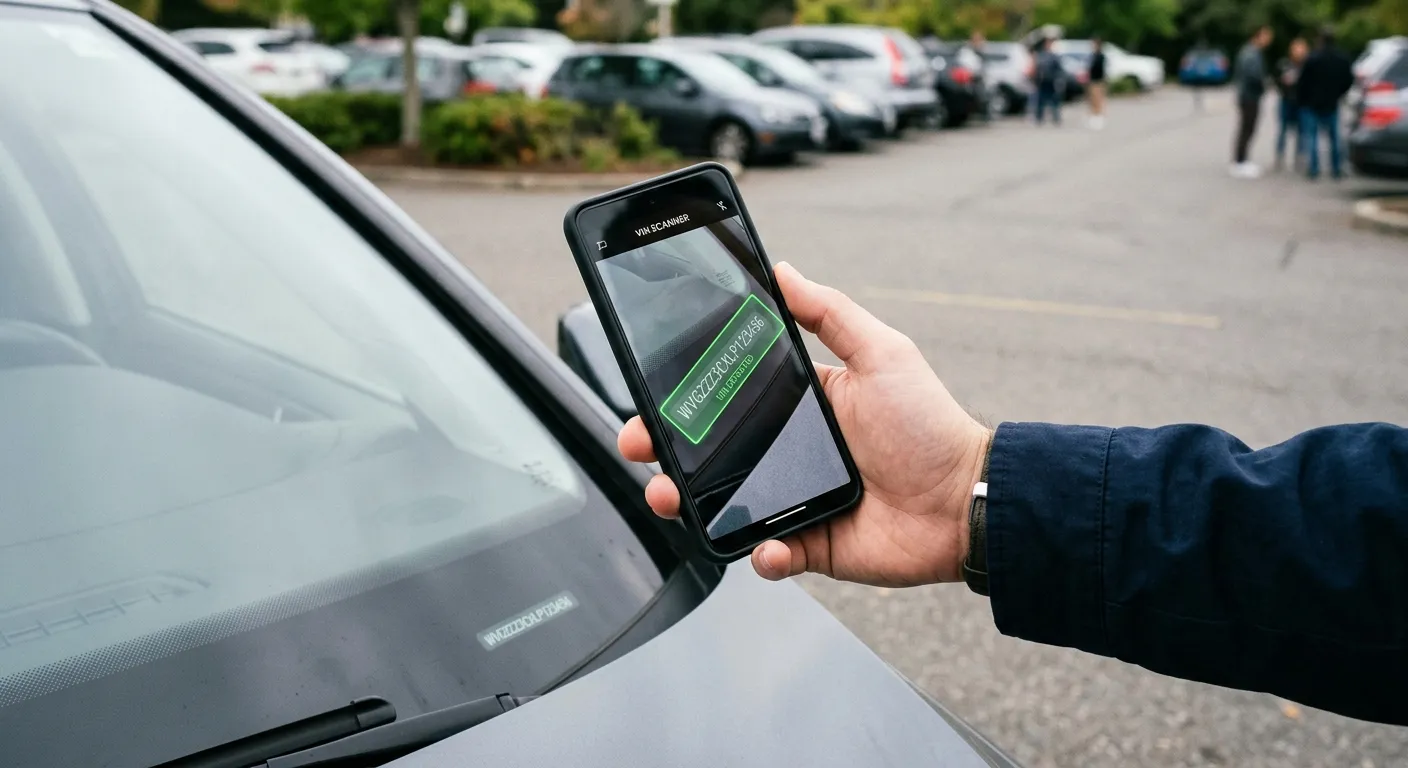
Typing a 17-character VIN by hand is one of those small, annoying tasks that
almost guarantees a mistake. Was that an 8 or a B? A 5 or an S? One
wrong character and your vehicle history report comes back empty – or worse,
describes someone else’s car.
That’s why we built a VIN scanner that runs entirely in your phone’s browser. No app to install, no photo uploads. In this post we’ll show you what actually happens in the two or three seconds between pointing your camera at a VIN and seeing the result – including a few things that surprised us while building it.
Two neural networks, one job
When you tap “Scan”, your browser downloads two small AI models (about 13 MB in total – cached after the first visit) and runs them locally using WebAssembly. Each has a very specific role.
The spotter. The first model is a YOLO-family object detector that we trained to do exactly one thing: find a VIN in a camera frame. Not “find text” – find a VIN. It has seen VINs on windshield plates, door-jamb stickers, strut towers stamped into bare metal, and printed registration documents, so it knows the difference between a VIN and a license plate or a random part number. Crucially, it doesn’t just draw a box around the VIN – it returns a rotated box, so it knows the exact angle of the text even when you’re holding the phone crooked or shooting the engine bay from the side.
The reader. The cropped, straightened strip of pixels then goes to the second model: a text-recognition network from the PaddleOCR family that we fine-tuned specifically for VINs. A general-purpose OCR model has to consider thousands of characters – ours only knows 33.
Why only 33 characters? A 1981 fun fact
The letters I, O and Q are banned from VINs. The ISO standard from 1981 excluded them precisely because they’re too easy to confuse with the digits 1 and 0 – on stamped metal, on faded stickers, and (ironically) in OCR.
We baked this rule directly into the reader model’s alphabet. It is
physically incapable of outputting an O – if a character looks round,
the closest legal answer is 0, and that’s what it reports. A whole class
of classic OCR errors simply cannot happen. This is the single biggest win
from fine-tuning on VINs instead of using an off-the-shelf OCR engine.
One photo is a guess. Video is evidence.
Early on we made a decision that shaped the whole scanner: never trust a single frame.
Your camera delivers a fresh frame several times per second, so instead of betting everything on one snapshot, the scanner reads the VIN over and over and lets the frames vote. A result is only accepted when independent frames agree – and the bar for “agree” adapts:
- If the same 17 characters show up twice and the VIN’s built-in checksum validates, we accept it almost instantly.
- No checksum? (More on that below.) Then we wait for a third confirmation.
- If frames keep disagreeing about a single character, each candidate is weighted by how confident the reader was, character by character.
That last rule earned its keep during testing. In one of our test clips – a
registration document under harsh light – a reflection made the 0 in the
serial number look like an 8 in more than half the frames. Repetition
alone would have picked the wrong answer. But the model’s confidence in
those 8s was consistently lower than in the clean 0 readings, and the
voting logic noticed. The scanner simply waited a second longer until the
evidence settled – and returned the correct VIN.
The checksum that only works on some cars
VINs contain a hidden self-check: position 9 is a check digit computed from the other 16 characters. It’s a great validation signal – when it works. Here’s the catch: it’s only mandatory for vehicles sold in North America. Most European-market VINs don’t use it at all.
So our scanner treats the check digit as a bonus, never a requirement. When it validates, we can accept a result faster. When it doesn’t, that’s not an error – it’s probably just a European car, and the frame-voting system carries the weight instead.
Your VIN never leaves your phone
This is worth spelling out: the camera frames are processed entirely on your device. The AI models are downloaded to your browser; your images are never uploaded anywhere. There’s no server doing the recognition, no photo stored in a cloud bucket. The only thing that leaves your phone is the final 17-character VIN – and only when you continue to the report page.
This wasn’t just a privacy decision. It also makes the scanner fast (no round trip to a server for every frame) and lets it work on a weak signal in an underground garage – exactly where you’re most likely to be standing next to a VIN.
What it looks like in practice
On our test recordings – windshield VINs, door stickers, a VIN stamped into a strut tower, even a registration document – the scanner typically locks onto the correct VIN in one to four seconds. A few honest tips to make it faster:
- Light matters most. The torch button exists for a reason – stamped VINs in the engine bay love it.
- Get close. The VIN should roughly fill the guide frame.
- Don’t chase stillness. You don’t need a perfectly steady hand – the voting system was designed for exactly the small movements a real hand makes.
Under the hood, briefly
For the technically curious: detection runs on a YOLO-based model exported to ONNX, recognition is a fine-tuned PaddleOCR model with a VIN-restricted alphabet, and both execute in a single WebAssembly runtime (ONNX Runtime) inside a web worker, so the page stays responsive. The perspective correction between the two models – straightening the rotated VIN strip – is the same math your document-scanner app uses. Everything else is careful engineering around one principle: cheap reads, repeated often, verified by agreement.
Teaching the scanner what a VIN looks like
Recently we added a third “model” – and it’s not a neural network. It’s a statistical map of what real VINs look like, built from over half a million genuine VINs from European and US vehicle registries.
Here’s the idea. A VIN isn’t a random string – it has grammar. The first
three characters identify the manufacturer, the next eight encode the model,
year and plant, and each maker follows its own rigid patterns (Volkswagen
loves WVWZZZ…, BMW has its own dialect). So when the OCR reads WVW2ZZ…,
our language model knows that a 2 in that spot is thousands of times less
likely than a Z – and quietly prefers the reading the manufacturer would
actually stamp.
Instead of letting the reader network pick the single most likely character at each position and hoping for the best, the scanner now explores several candidate readings at once (a technique called beam search) and scores each one by both what the pixels say and what the VIN grammar says. The payoff is biggest exactly where scanning is hardest: VINs stamped into bare metal, where a neighbouring character sneaks into the crop or a worn character drops out. On our hardest test clip the share of frames read perfectly went from roughly 1 in 9 to 3 in 4.
One lesson from testing is worth sharing: a smarter reader is a more consistent reader – including when it’s consistently wrong. Early on, the upgraded scanner misread one worn digit the same way in frame after frame, and the frames happily agreed on the wrong answer. The fix was to raise the bar: with the language model active, the voting system now demands an extra independent confirmation before accepting a result. Accuracy is nice; trustworthy accuracy is the actual product.
And in keeping with everything above: the language model is a 190 KB file that downloads alongside the other models and runs entirely on your phone. Your VIN still never leaves your device.
Try it yourself: point your phone at the windshield corner of any car and scan a VIN.