
Quick response
Quick Answer: The most reliable VIN location for the Honda Civic is the firewall / bulkhead chassis stamp in the engine bay. It’s typically stamped into the metal firewall near the center, slightly below the cowl area behind the engine. Tip: it’s often greasy and partly hidden—bring a light and be ready to wipe it clean.
![VIN location Honda Civic Civic VII [2004-2005]](/_astro/vin-location-honda-civic-vii-2004-2005.Cy33O2p_.webp)
Where is the VIN number in Honda Civic (Civic VII [2004-2005])?
This guide shows you where to find the VIN/chassis number on the Honda Civic VII produced between 2004–2005, including the most dependable stamped location and the easiest label/plate checks.
Chassis Number Locations
Firewall / Bulkhead (Chassis Stamp) 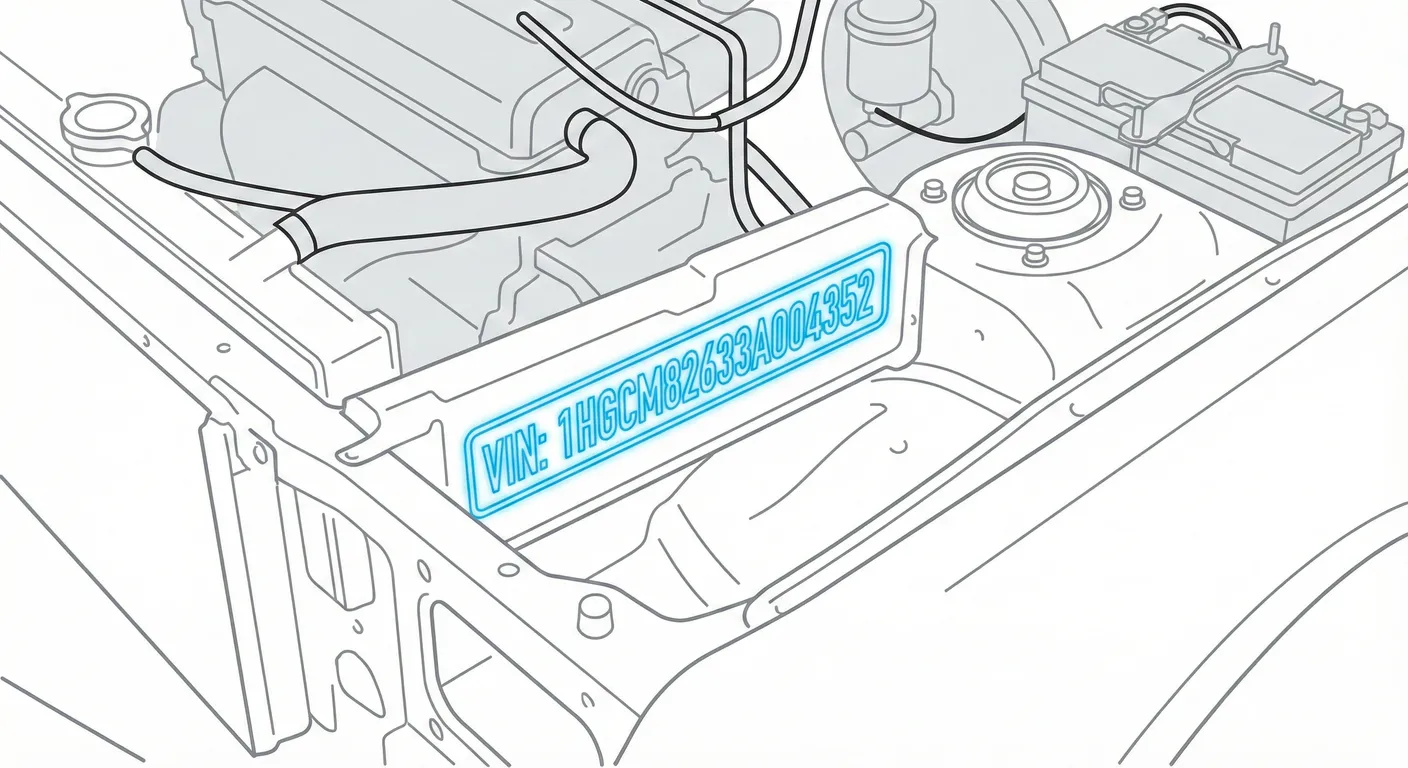
- Where to look: Open the hood and check the metal firewall/bulkhead at the back of the engine bay. The chassis number is stamped directly into the metal, usually near the center, slightly below the cowl top, often behind/above the intake side of the engine (exact visibility depends on engine/trim).
- Access: High difficulty. Expect hoses, wiring looms, or the air intake box to partially block the view. The stamp is commonly covered in grime—scrub with a rag and a little degreaser, then wipe dry.
- Note: On RHD cars the stamp is still generally central on the firewall, but your viewing angle changes because the brake booster/steering components sit on the opposite side compared to LHD.
- Tip: If the characters are faint or greasy, use the app’s contrast tricks—scan the stamp with High Contrast AI Mode so you’re not guessing worn digits in a dark engine bay.
B-Pillar / Door Jamb (Certification Label) 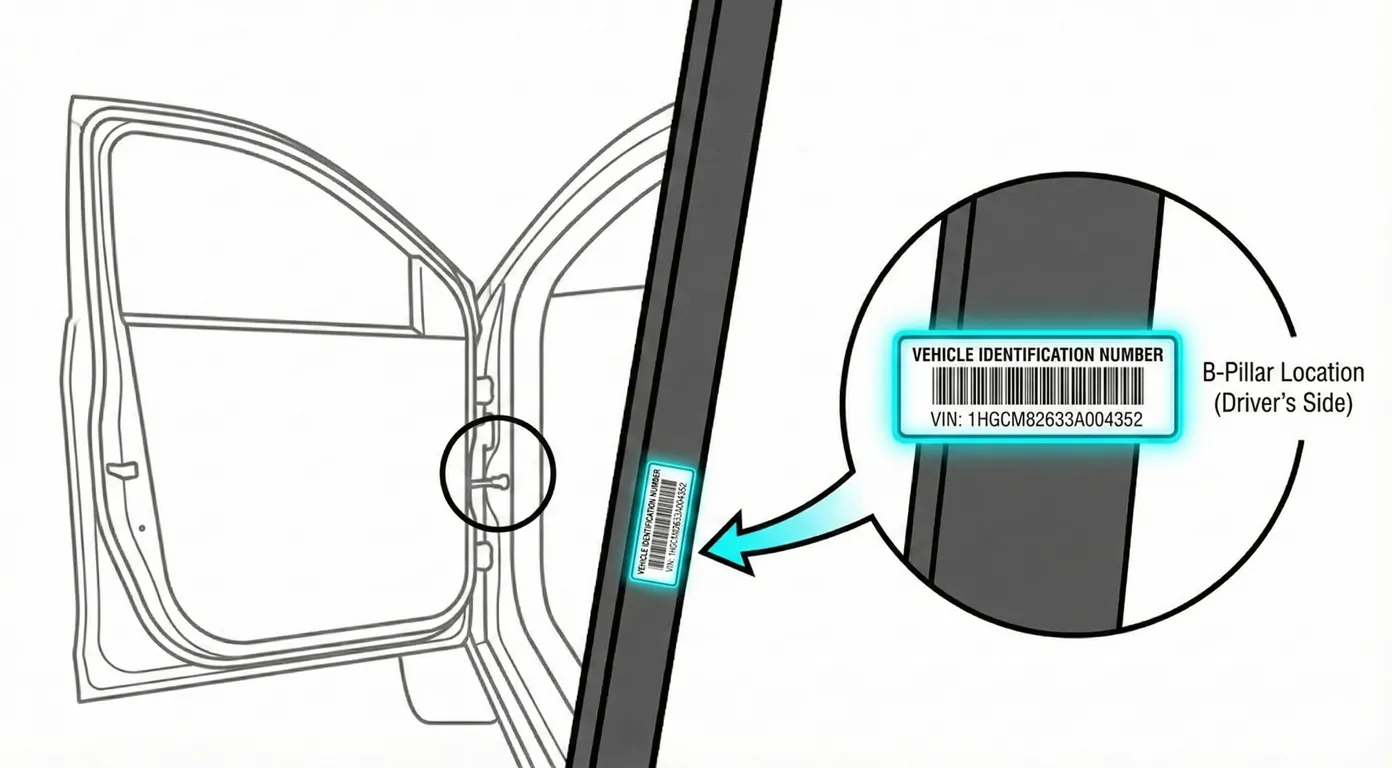
- Where to look: Open the left front door (LHD) and inspect the B-pillar / door jamb area for the certification/VIN sticker.
- Access: Low difficulty. It’s usually clean and right at eye level; no tools needed unless the label is covered with dirt.
- Note: Label placement can vary slightly by market, but it’s generally on a door jamb/B-pillar area rather than buried under trim.
- Tip: If the sticker is faded or you don’t want to mistype it, use the VIN reader to scan it instantly and copy the number cleanly.
Dashboard (VIN Plate) 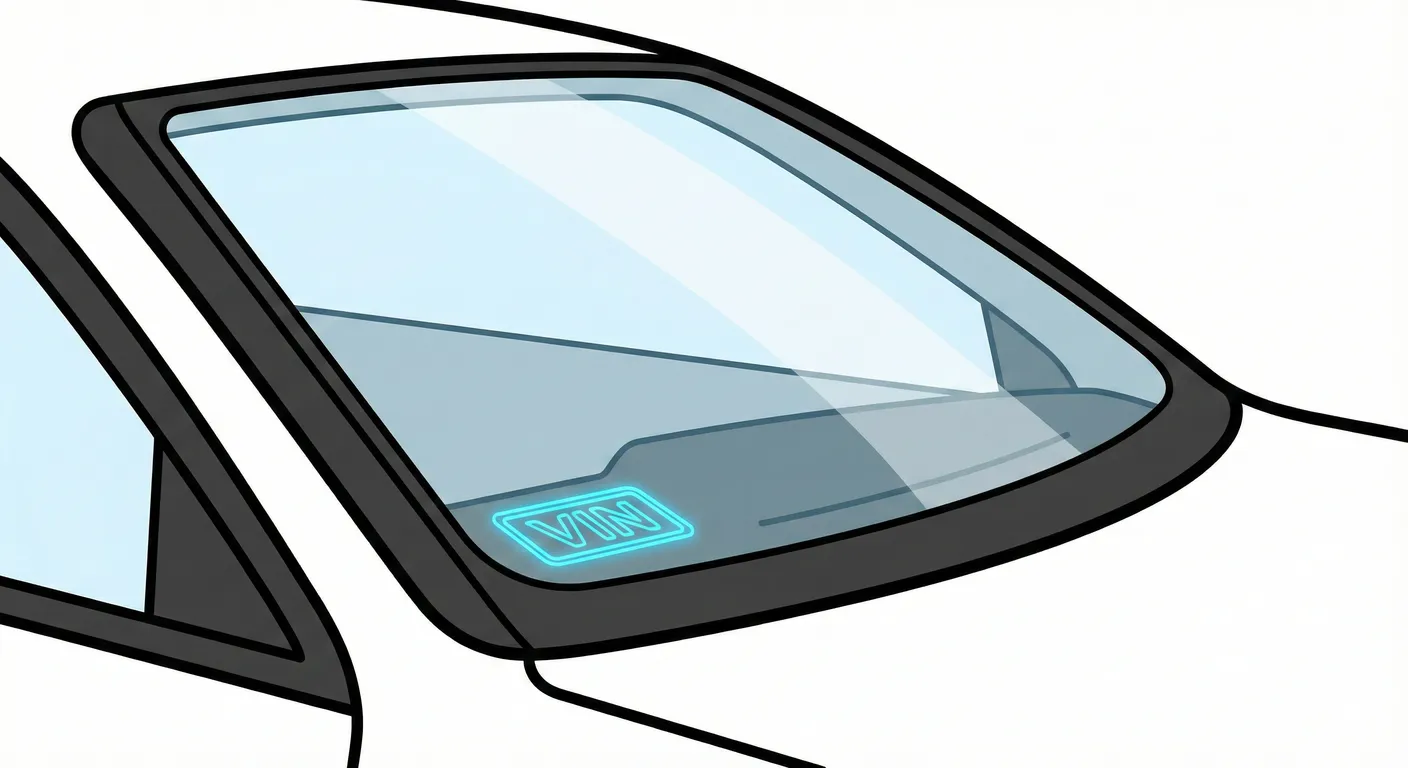
- Where to look: Look through the windshield at the lower corner of the dashboard for the VIN plate (viewable from outside the car).
- Access: Moderate difficulty. The plate is easy to spot, but reading it can be annoying due to windshield glare and reflections.
- Note: This is a common “quick check” location, but always compare it to the stamped chassis number if you’re verifying identity.
- Tip: To beat reflections and transcription errors, capture the VIN with your phone camera using ScanVin instead of squinting through the glass.
Video Guide
(No videos are published for this exact 2004–2005 Honda Civic VII guide from the submitted sources.)
Common Problems & Troubleshooting
- Firewall stamp unreadable: Grease/oxidation and tight access are normal—wipe, scrub, and re-check from a different angle with a strong light.
- Windshield plate hard to read: Sun glare and dashboard reflections can hide characters; shade the plate with your hand or change your viewing angle.
- Door jamb sticker mismatch: Stickers can be replaced after repainting/door swaps—treat the firewall stamped number as the key identity check.
Frequently Asked Questions
Where is the VIN on Honda Civic?
Start with the firewall/bulkhead stamped chassis number in the engine bay. Then confirm it matches the door jamb (B-pillar) certification label and the VIN plate visible through the windshield.
Which VIN location is the most important for Honda Civic?
The stamped chassis number on the firewall/bulkhead is the most important because it’s physically stamped into the body and is harder to alter than stickers or plates.
Ready to scan?
Start the scanner and scan the VIN in seconds. No registration, no fees.
Check other generations of this model
Note on Data Sources
Information about VIN location in this model comes from aggregation of official technical documentation (OEM) and spare parts catalogs. Despite careful algorithmic verification, the data is for reference purposes only. Final vehicle identification should always be confirmed by an authorized technician.
See how we verify data and build our database →