
Quick response
Quick Answer: The most reliable VIN location for the Honda Civic is the B-pillar VIN sticker/plate. It’s typically located low on the B-pillar (between the front and rear doors) and is visible when you open the door. It sits low, so crouch down and use extra light if you’re in a garage.
![VIN location Honda Civic Honda Civic VIII [2006-2011]](/_astro/vin-location-honda-civic-viii-2006-2011.DmIXXnbB.webp)
Where is the VIN number in Honda Civic (Honda Civic VIII [2006-2011])?
This guide shows where to find the VIN/chassis number on the Honda Civic VIII (2006–2011), including the easiest “everyday check” locations and the harder stamped chassis locations used for inspections.
Chassis Number Locations
1) B-Pillar VIN Sticker / Plate 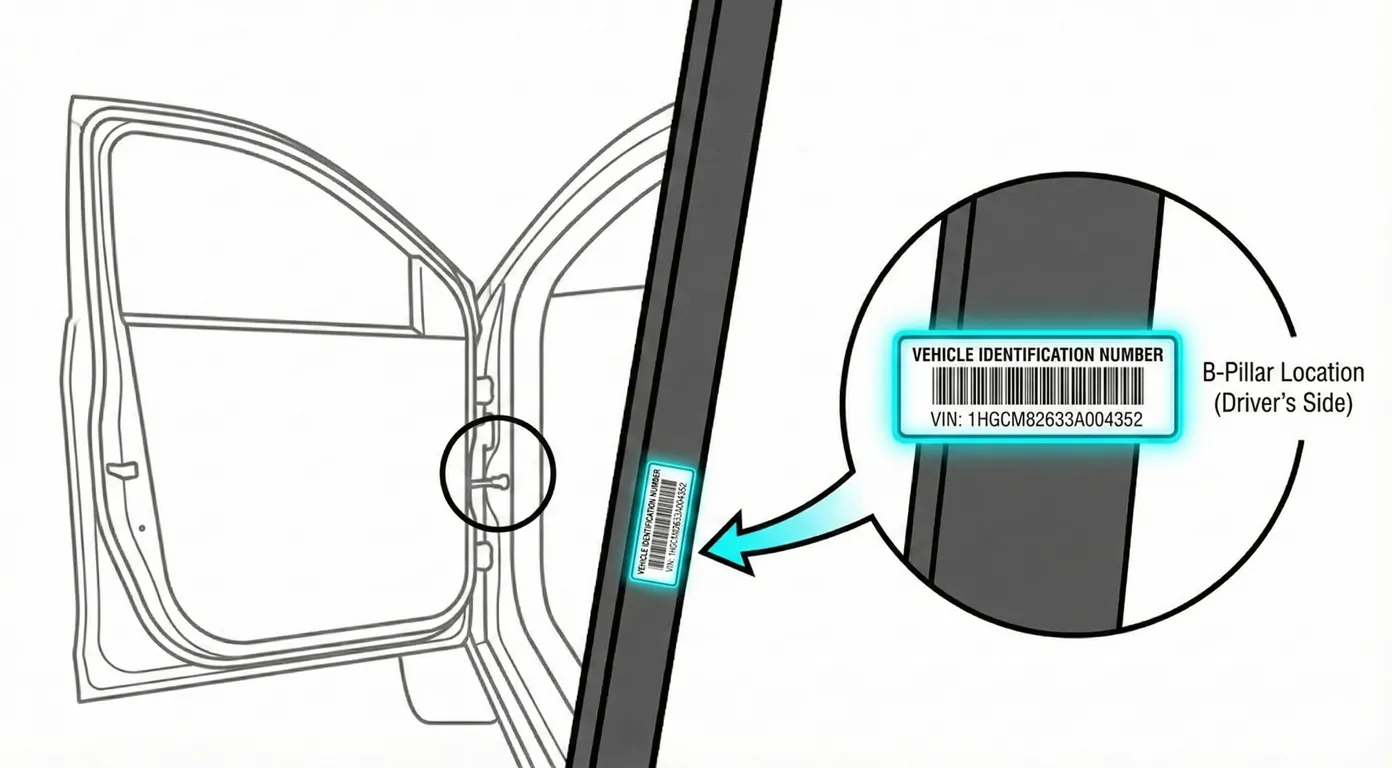
- Where to look: Open the front door and look at the lower B-pillar (the pillar between the front and rear doors). You’re looking for a metallic sticker/plate that lists the VIN, and often the engine number and color code.
- Access: Easy, but it’s mounted low, so you’ll need to crouch. If lighting is poor, use a flashlight/phone light.
- Note: This label can be found on either side depending on market/body style, so check both sides if you don’t see it immediately.
- Tip: Because you’re crouched and the print is small, it’s faster to scan the label with your phone instead of writing it down in an awkward position.
2) VIN Plate Visible Through the Windshield (Dashboard Corner) 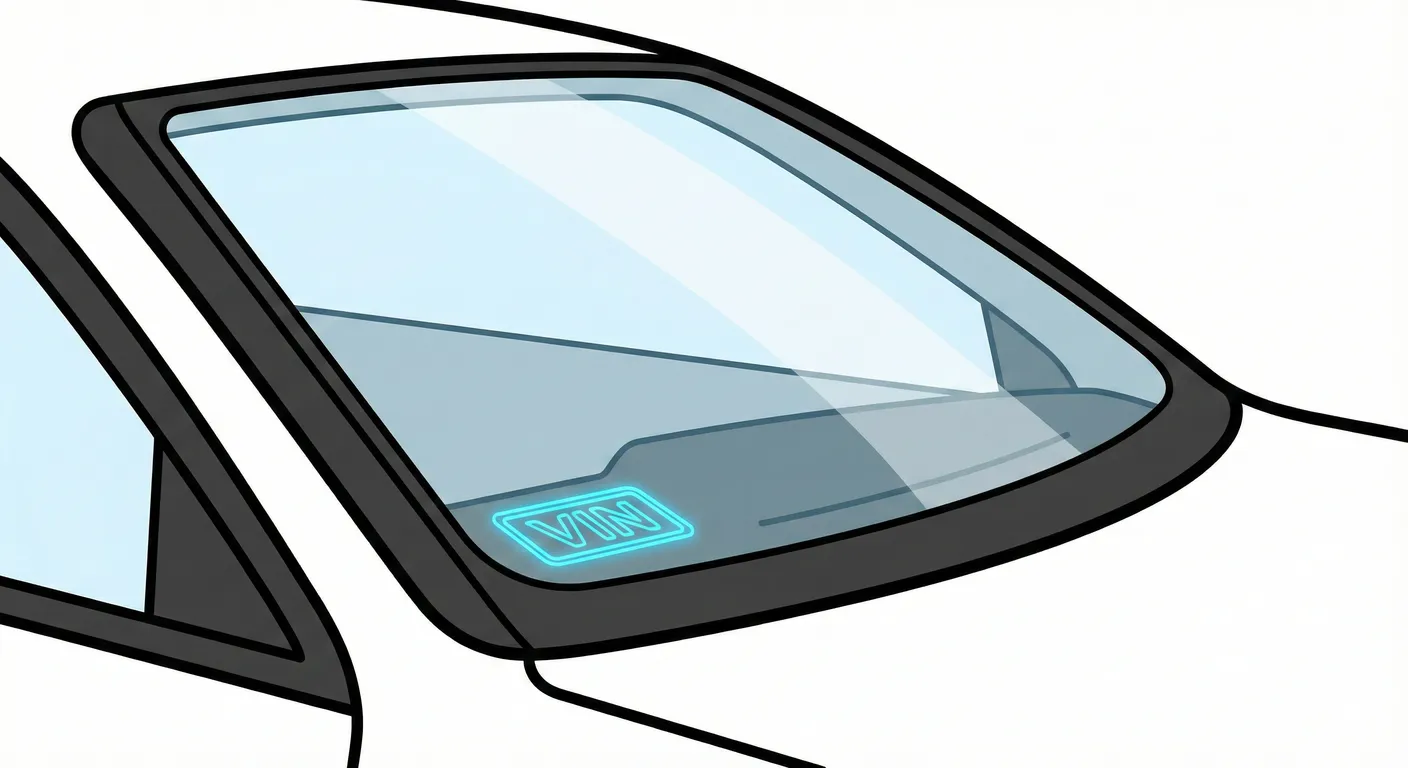
- Where to look: From outside the car, look through the windshield at the bottom corner of the glass where the dash meets the windshield (commonly driver side on LHD, and often passenger side on RHD).
- Access: Easy, but the glass causes glare/reflections, and dirt/leaves can block the view.
- Note: If you’re in an LHD market, start at the left-side lower corner (driver side), then check the opposite corner if not found.
- Tip: If glare makes characters hard to read, capture it instantly with the VIN scanner so you don’t mistype letters/numbers.
3) Firewall / Cowl Panel Chassis Stamp (Engine Bay) 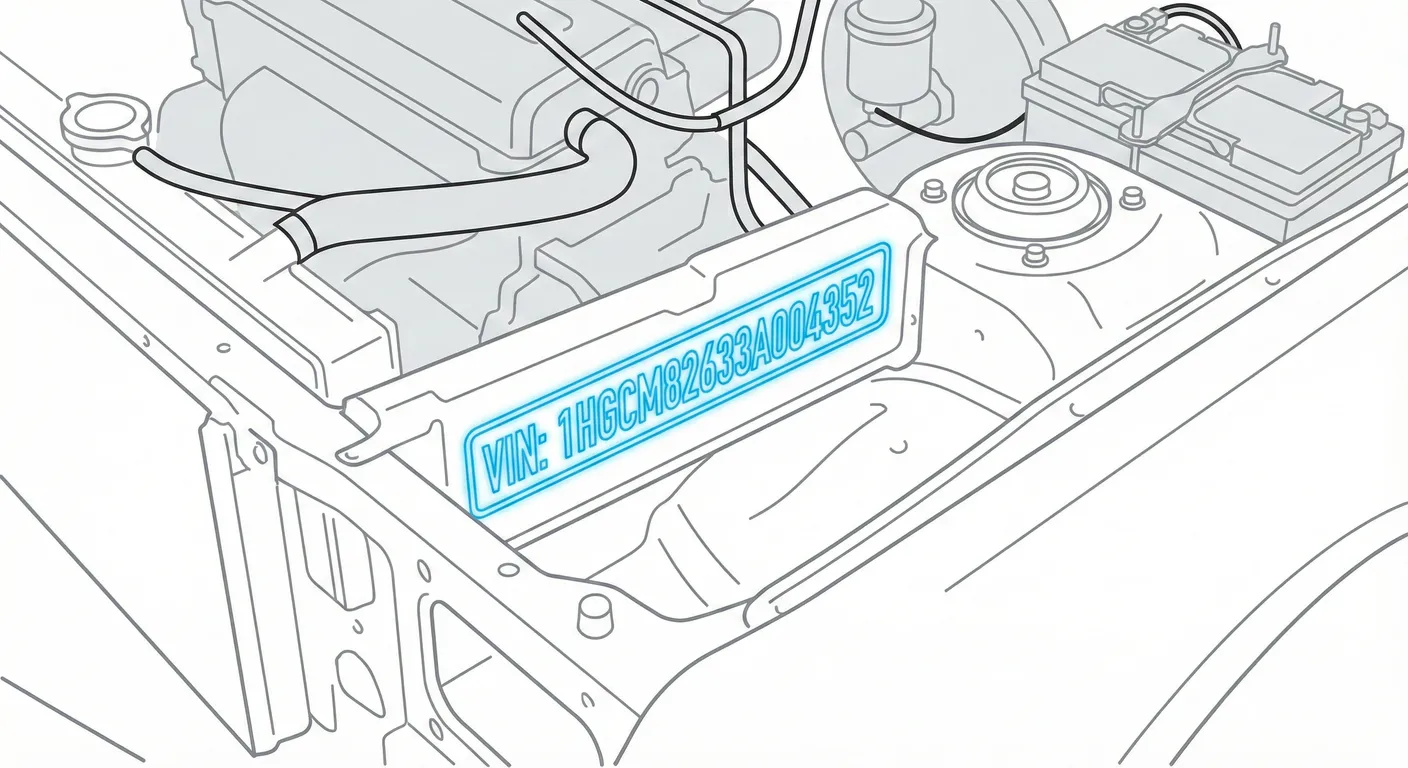
- Where to look: Open the hood and look at the firewall/bulkhead area near the cowl. The chassis number is cold-stamped into metal and is often hidden behind a rectangular plastic clip-in access cover—pry the cover off to reveal the stamp.
- Access: Harder. You must open the hood and remove a trim cover (a key or flat screwdriver helps). The stamping is often dirty or paint-colored, so contrast is poor until you clean it.
- Note: This location is common on the hatchback shown in the walkthrough, and also appears on some sedan markets—use it as a “verification” VIN when buying.
- Tip: After wiping the area, use High Contrast AI scanning to pull characters out of faint/dirty stamped metal.
4) Under Front Seat (Carpet Flap / Floor Stamp) 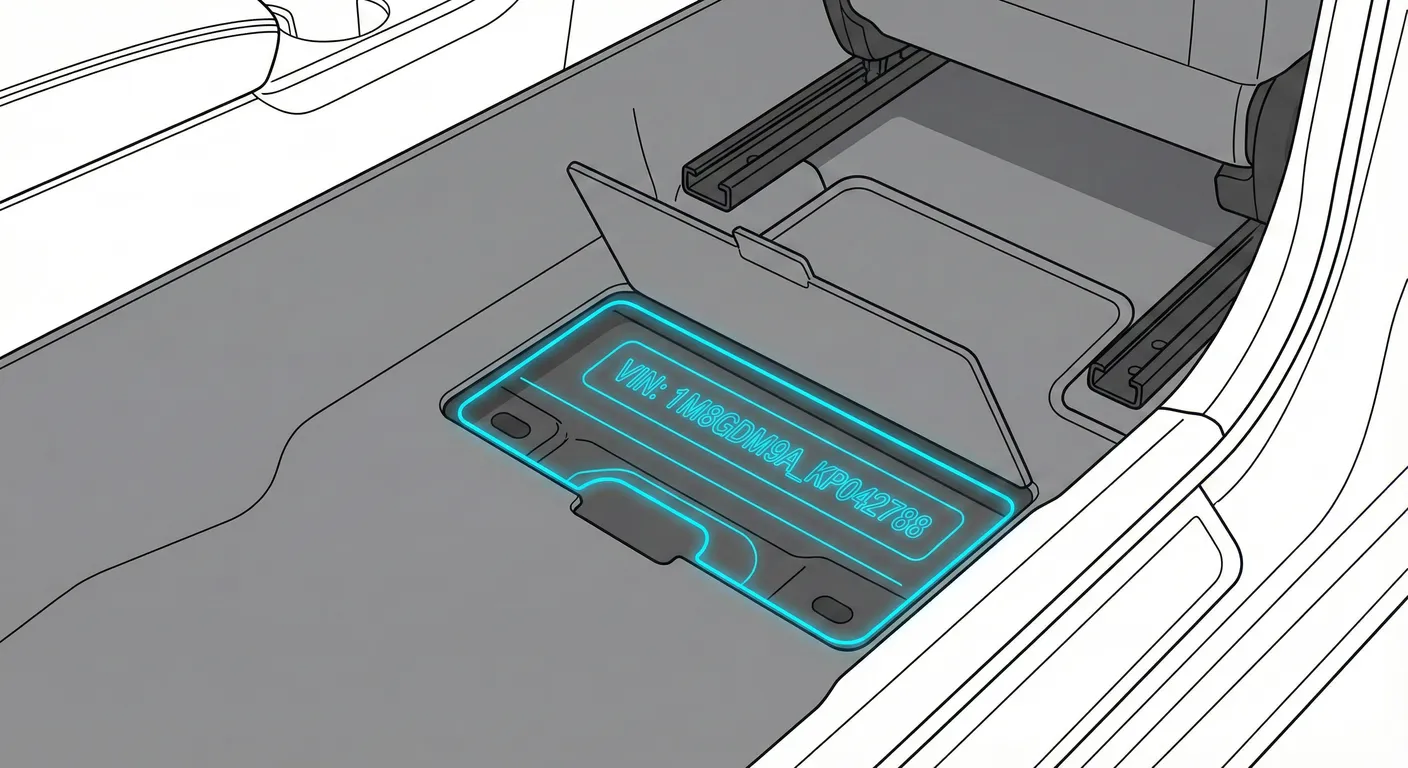
- Where to look: Slide the front seat back and check the floor under the seat for a carpet cut-out/plastic flap. Lift it to reveal the VIN stamped into the floor cross-member.
- Access: Difficult. You’ll be crouched, it’s very dark, and you may need to move the seat to get a good angle while holding the flap open.
- Note: This is commonly seen on some sedan variants. Check the front footwell floor (commonly on the passenger side for LHD vehicles, but check the driver side footwell if not found).
- Tip: Since it’s dark and awkward to photograph, use Flashlight + OCR scanning to grab the stamped number without repeatedly repositioning yourself.
5) Engine Block Number (Engine Casing Stamp)
- Where to look: In the engine bay, find a flat machined surface on the engine block where the number is stamped. It’s usually low down and can be hidden by hoses/intake plumbing.
- Access: Very hard. Tight clearance, poor lighting, and the stamp may be greasy/oily, making it difficult to focus a phone camera.
- Note: This is typically an engine number, not the primary body VIN label—useful for matching drivetrain identity during inspections.
- Tip: If the stamp is greasy or low-contrast, clean it and use High Contrast AI Mode to scan it instead of trying to read it upside-down in a cramped bay.
Video Guide
Video Tutorial: HONDA CIVIC MK8 2006-2012 - How To Locate VIN Plate Chassis ...
- Clear walkthrough showing the B-pillar label, windshield VIN, and the hidden firewall/cowl stamp behind a plastic cover.
Video Tutorial: Chassis no. location in Honda Civic - YouTube
- Shows the sedan-style under-seat carpet flap and the floor-stamped chassis number location.
Common Problems & Troubleshooting
- Windshield glare/dirt: Reflections and debris at the dash corner can hide characters—shade the glass or change your viewing angle before scanning.
- Stamped VINs are faint or filthy: Firewall/floor stamps can be body-colored or dirty—wipe with a rag and mild cleaner, then re-check with a light.
- Sticker vs. stamp mismatch: Door/B-pillar stickers can be replaced; for purchase/inspection, always verify the stamped chassis VIN (firewall or floor) matches the label.
Frequently Asked Questions
Where is the VIN on Honda Civic?
Check the low B-pillar VIN sticker/plate when the door is open, and the VIN plate visible through the lower corner of the windshield. For stamped VIN verification, check the firewall/cowl stamp in the engine bay (behind a plastic cover) and, on some sedans, the floor stamp under the front seat carpet flap.
Which VIN location is the most important for Honda Civic?
For quick identification, the B-pillar label and windshield VIN are the fastest. For anti-tamper verification during an inspection or before purchase, the stamped chassis VIN (firewall/cowl or floor under-seat area, depending on market) is the most important because it’s physically stamped into the body.
Ready to scan?
Start the scanner and scan the VIN in seconds. No registration, no fees.
Check other generations of this model
Note on Data Sources
Information about VIN location in this model comes from aggregation of official technical documentation (OEM) and spare parts catalogs. Despite careful algorithmic verification, the data is for reference purposes only. Final vehicle identification should always be confirmed by an authorized technician.
See how we verify data and build our database →