
Where is the VIN in the Land Rover Discovery?
Select your car's generation to see the exact VIN number locations
VIN Location Overview for Land Rover Discovery
2 generationsSelect the generation of your car to see the exact VIN number locations
| Generation & Years | Typical VIN Locations | Details | |
|---|---|---|---|
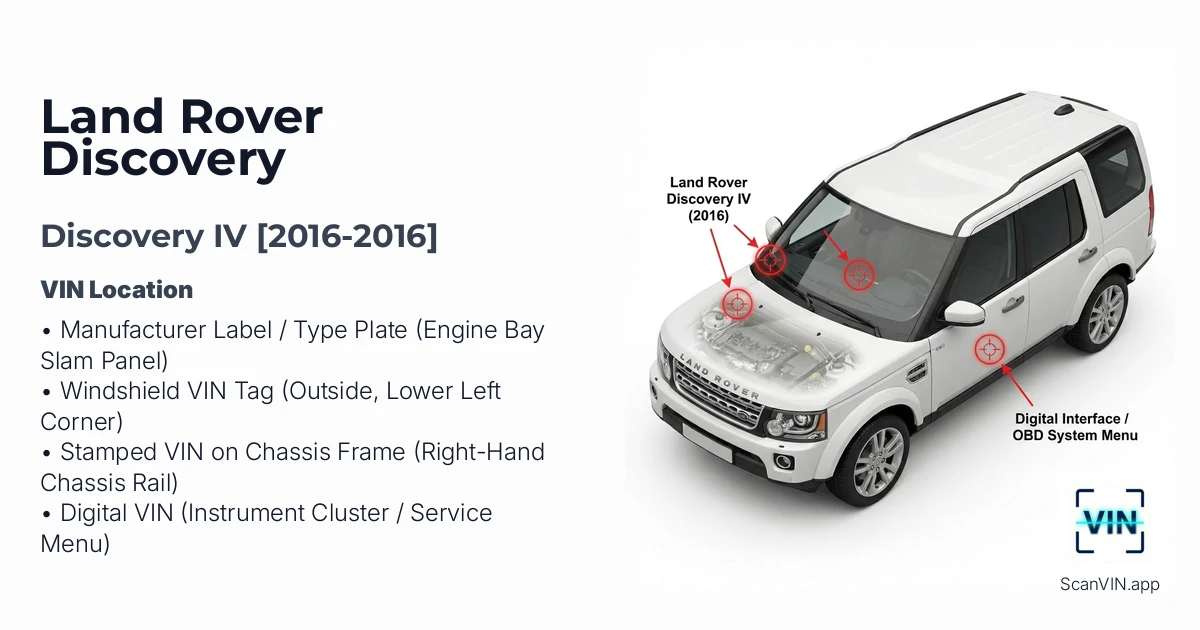 | IV 2016 2016 | Manufacturer Label / Type Plate (Engine Bay Slam Panel) Windshield VIN Tag (Outside, Lower Left Corner) Stamped VIN on Chassis Frame (Right-Hand Chassis Rail)
+1 | View details |
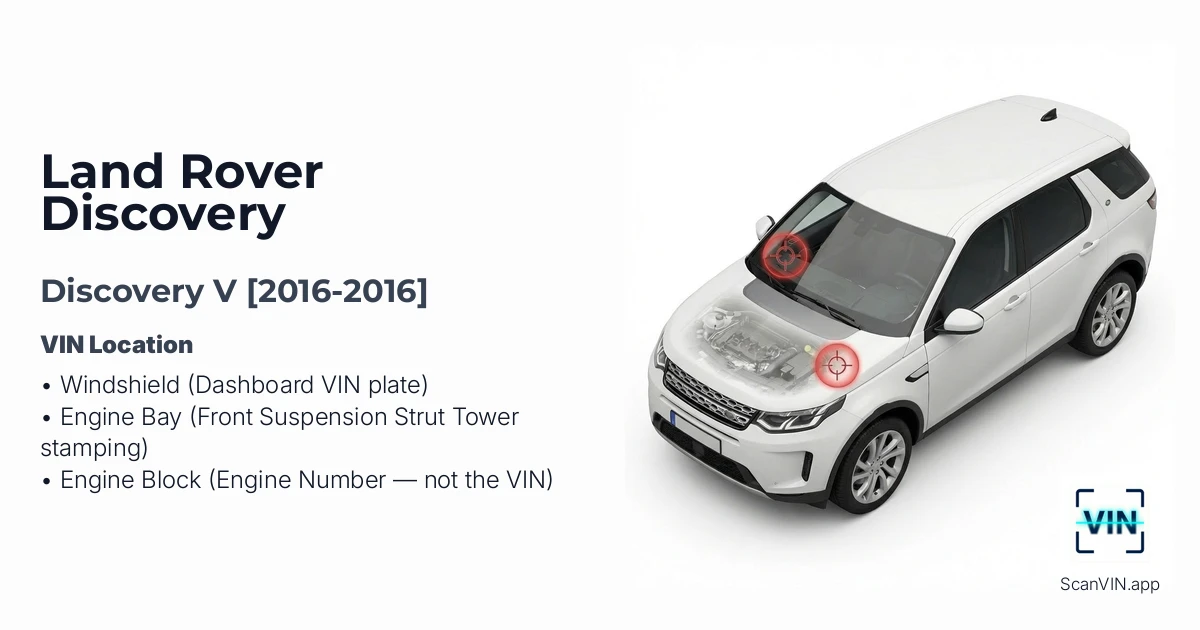 | V 2016 2016 | Windshield (Dashboard VIN plate) Engine Bay (Front Suspension Strut Tower stamping) Engine Block (Engine Number — not the VIN) | View details |
Land Rover Discovery [2016-2016]
Quick response
Quick Answer: The most reliable VIN location for the Land Rover Discovery IV is the manufacturer label (type plate) on the top of the front slam panel / radiator support in the engine bay. It sits near the hood latch area (slightly to the right) and is usually easy to read in good light. Expert tip: if the print looks faded, scan it instead of copying it by hand.
This guide shows where to find the VIN (Vehicle Identification Number) on the Land Rover Discovery IV ([2016-2016]), including the easiest under-hood label plus the stamped chassis VIN for verification.
Chassis Number Locations
Manufacturer Label / Type Plate (Engine Bay Slam Panel) 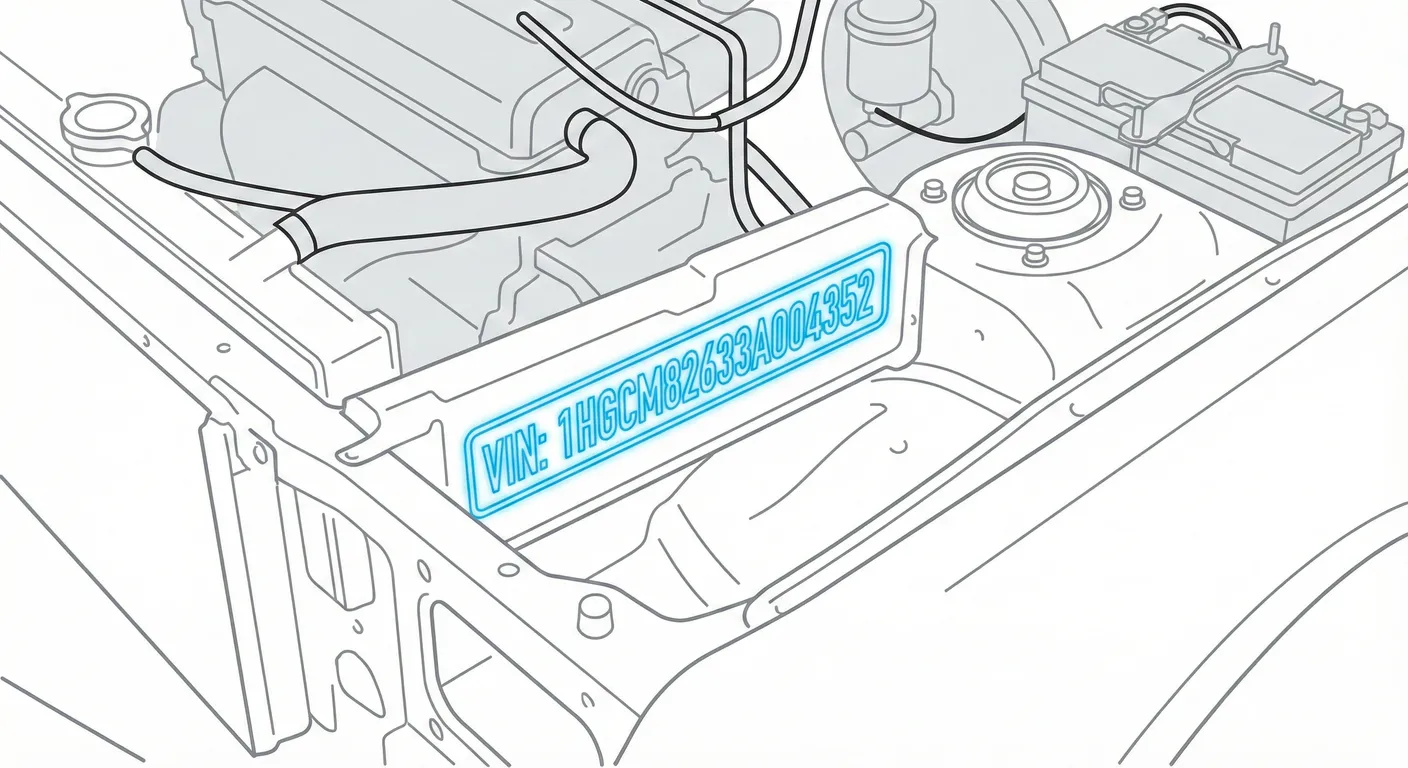
- Where to look: Open the hood and look at the top surface of the front slam panel (radiator support/lock platform), slightly to the right of the hood latch mechanism. You’ll see a black sticker/plate showing the VIN plus paint/weight data.
- Access: Low difficulty. No tools needed—just hood open. Flat surface, usually well-lit.
- Note: Works the same for LHD and RHD vehicles.
- Tip: If the label is dusty or the print is light, wipe it and use ScanVin’s VIN scanner to capture the VIN cleanly in one shot without misreading similar characters (8/B, O/0).
Windshield VIN Tag (Outside, Lower Left Corner) 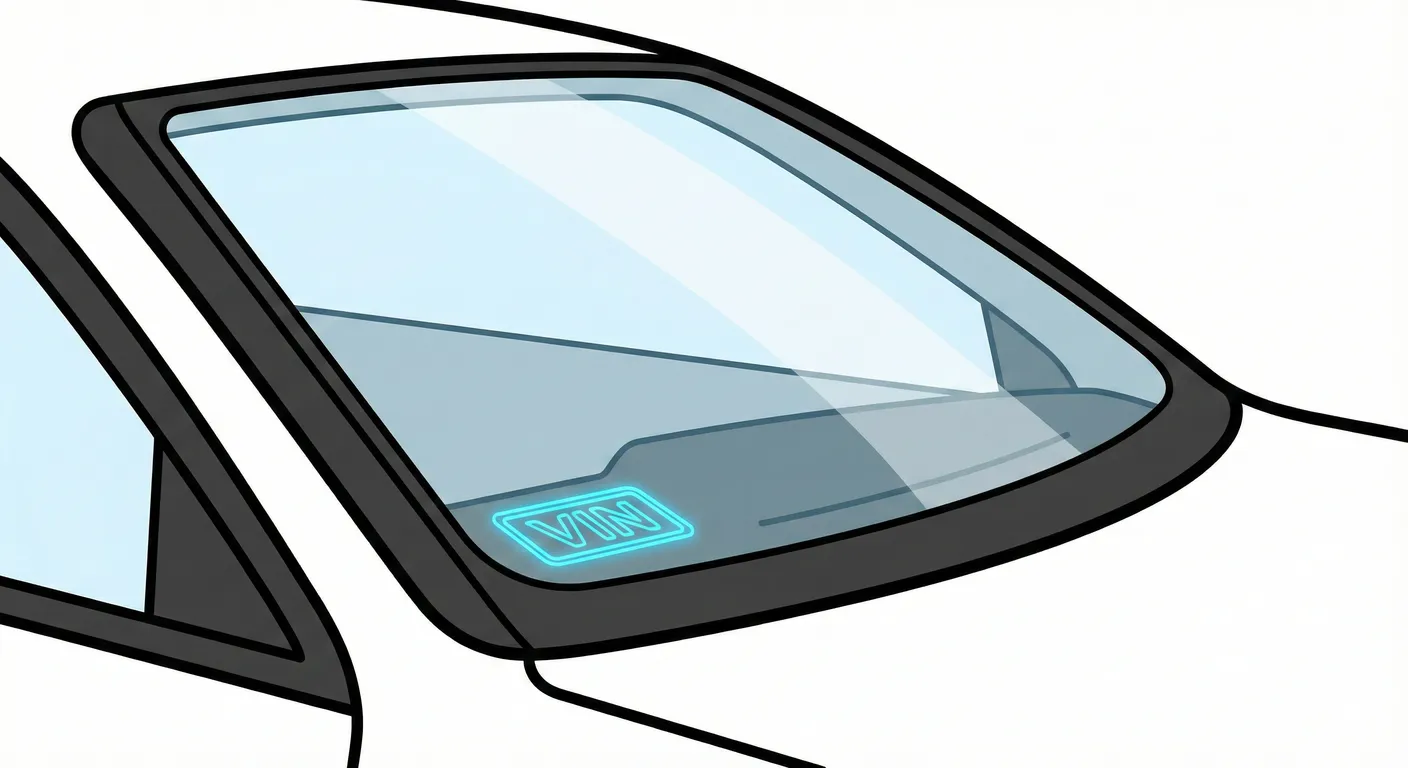
- Where to look: Stand outside the vehicle and check the bottom-left corner of the windshield (left side of the glass when facing the car). The VIN is displayed behind the glass on a standard VIN plate.
- Access: Medium difficulty. Usually easy to spot, but glare/reflections and tinted glass can make it annoying to read.
- Note: Same idea for LHD/RHD—it’s a visible tag behind the windshield.
- Tip: If reflections are hiding characters, scan the windshield VIN with your phone so the app can grab the string instantly instead of you fighting glare and transcription errors.
Stamped VIN on Chassis Frame (Right-Hand Chassis Rail) 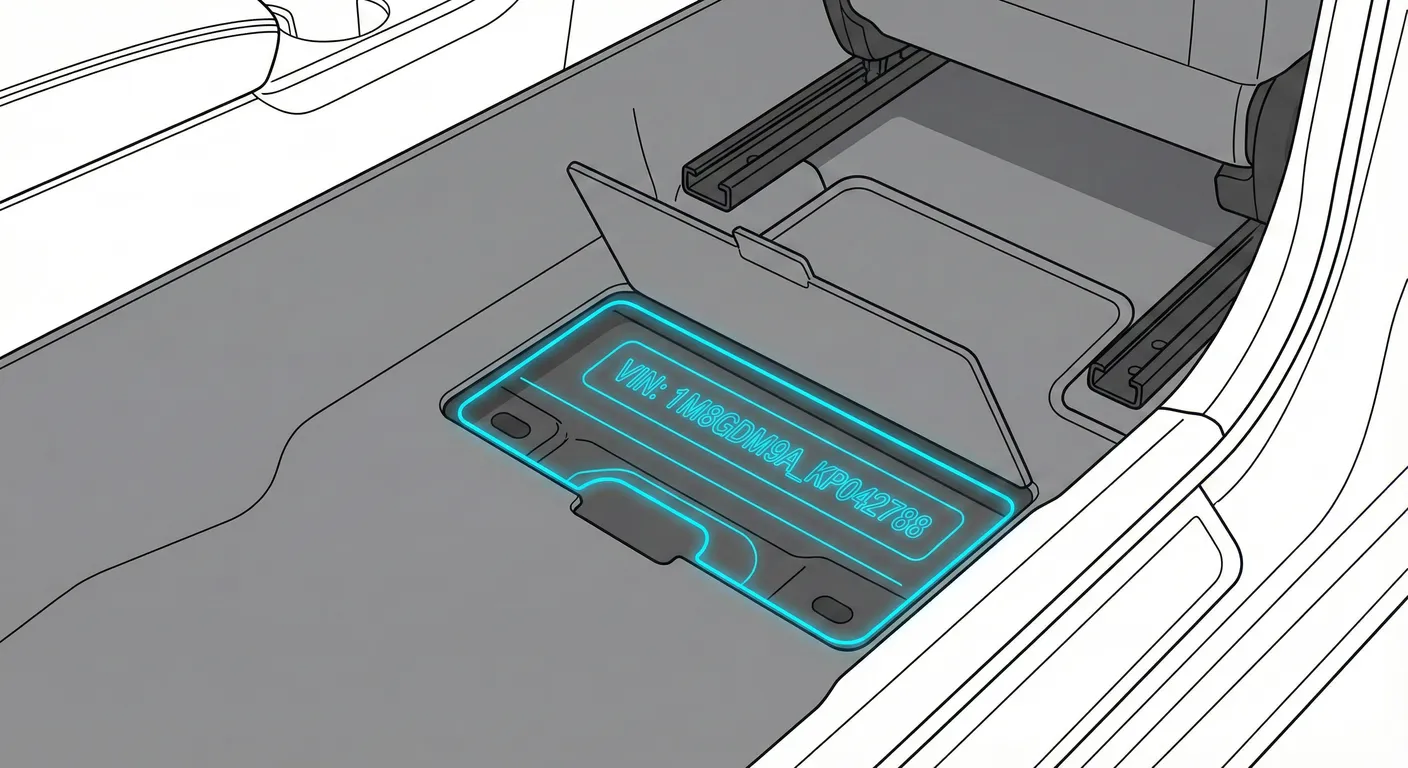
- Where to look: The VIN is stamped into the steel chassis on the right-hand chassis rail (right side of the vehicle as viewed from the rear). It’s roughly beneath the B-pillar / front door area, typically visible behind the front wheel arch when looking under the side steps.
- Access: High difficulty. You’ll be working under the vehicle—expect mud, road grime, and sometimes rust. You may need to scrub with a brush and use a flashlight. A lift helps, but kneeling/crawling is common.
- Note: The stamped chassis VIN stays on the right-hand frame rail regardless of LHD or RHD.
- Tip: Because it’s dark and dirty under there, clean the stamping and use ScanVin’s high-contrast VIN scan to decipher low-contrast characters without having to write them down in an awkward position.
Digital VIN (Instrument Cluster / Service Menu) 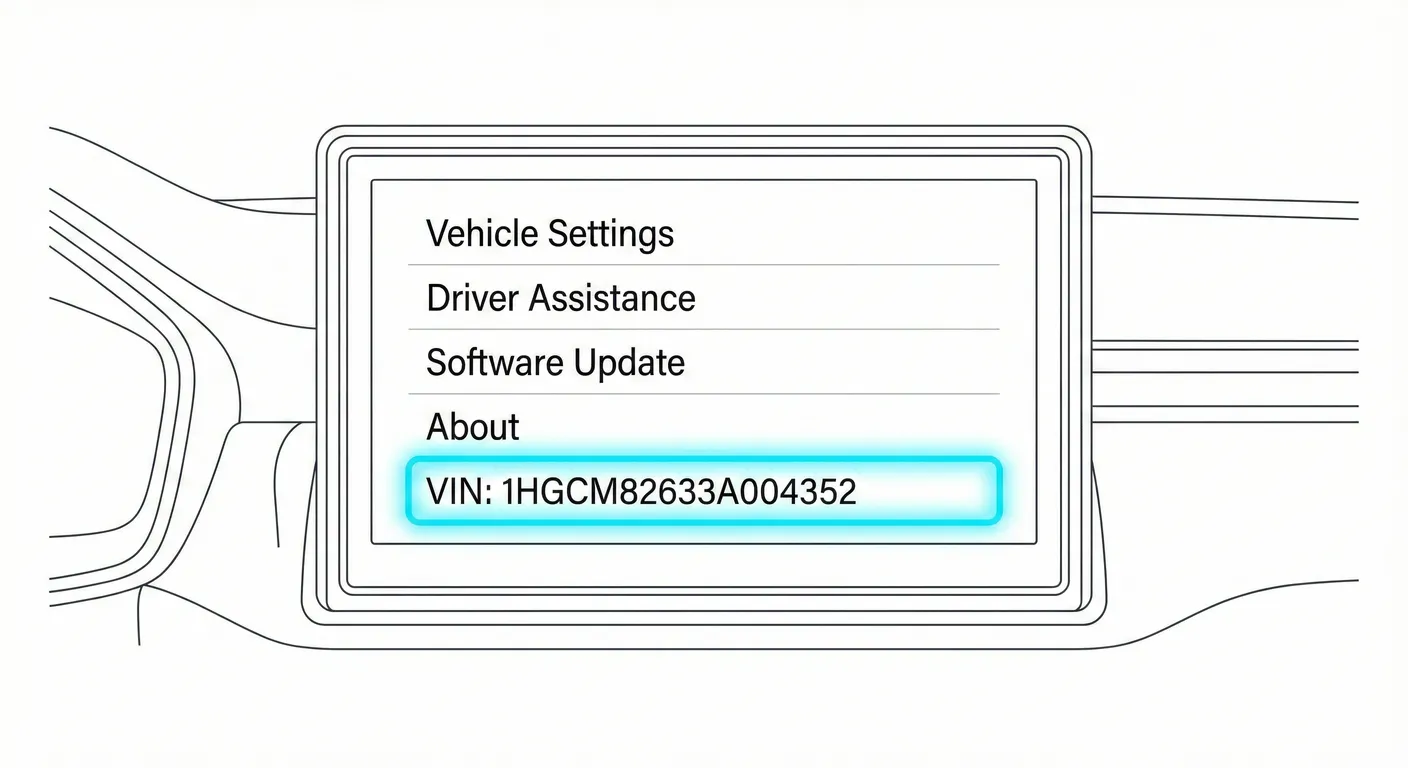
- Where to look: Use the cluster menu to display the VIN:
- Sit in the vehicle and close the doors.
- Turn Ignition ON (don’t start).
- Wait for the system checks to finish.
- Press OK on the steering wheel controls.
- Scroll to Service Menu (typically the last option).
- Select VIN Display / VIN Number.
- Access: Medium difficulty. The steps are simple once you know them, but screen glare and camera focus can interfere.
- Note: Button layout can vary slightly, but on this Discovery IV method the VIN is shown through the cluster service menu.
- Tip: If the screen flickers or reflects light, use ScanVin to scan the VIN from the display so you don’t mistype it when verifying documents or ordering parts.
Video Guide
Video Tutorial: land rover discovery 4 chassis number location
- Raw handheld footage showing the stamped chassis VIN underneath the vehicle on a stock Discovery 4.
Video Tutorial: LAND ROVER DISCOVERY 4 VIN LOCATION / CHASSIS NUMBER ...
- Mechanic-style walkthrough showing the engine bay manufacturer label and the chassis VIN.
Video Tutorial: Where is the VIN number of my Land Rover Discovery IV (2010–2016)
- Shows how to display the VIN in the instrument cluster service menu, plus a quick look at the windshield and engine-bay locations.
Common Problems & Troubleshooting
- Stamped chassis VIN unreadable: Road grime and rust can fill the stamping—scrub the rail, then use a flashlight at an angle to make the characters pop.
- Windshield VIN hard to read: Sun glare, reflections, and tint can hide digits—try a different viewing angle and clean the glass inside/out.
- Sticker vs. stamped VIN mismatch: Engine-bay labels can be replaced; for buying/verification, always cross-check the windshield + chassis stamp + paperwork and investigate any mismatch before proceeding.
Frequently Asked Questions
Where is the VIN on Land Rover Discovery IV?
Start with the manufacturer label on the front slam panel/radiator support in the engine bay (near the hood latch, slightly to the right). Also check the windshield VIN tag at the lower-left corner (viewed from outside).
Which VIN location is the most important for Land Rover Discovery IV?
For quick identification, the engine-bay label and windshield tag are easiest. For authenticity checks, the stamped VIN on the chassis frame is the most important because it’s physically stamped into the vehicle structure.
Land Rover Discovery [2016-2016]
Quick response
Quick Answer: The most reliable VIN location for the Land Rover Discovery V is the VIN plate at the bottom corner of the windshield (dashboard area). It’s typically visible through the glass at the base of the windshield—use a quick camera scan to avoid glare and transcription errors.
This guide shows you where to find the VIN/chassis number on the Land Rover Discovery V (2016-2016), including the easiest “walk-up” spot and a stamped backup location in the engine bay.
Chassis Number Locations
Windshield (Dashboard VIN plate)
- Where to look: Stand outside the vehicle and look through the windshield at the bottom corner of the dashboard. The VIN is printed on a plate visible through the glass.
- Access: Easy to access, but glare/reflections from sunlight and the windshield angle can make it hard to read; wiper blades may partially sit in the same area.
- Note: Writing for LHD (US/EU): this plate is typically on the driver-side lower corner. On RHD vehicles (like the videos), it may appear on the opposite side.
- Tip: If reflections wash out the letters, capture it instantly with the phone VIN scanner so you don’t misread characters like S/5 or B/8 through glass.
Engine Bay (Front Suspension Strut Tower stamping)
- Where to look: Open the hood and locate the front suspension strut tower (the round strut dome at the top of the inner fender). The VIN/chassis number is stamped directly into the metal on top of the strut dome, running roughly parallel with the fender line.
- Access: Usually decent access and lighting, but a thick wiring loom/hose can partially obscure the stamping. The stamping is on painted metal (low contrast), so it can “disappear” unless light hits it at an angle.
- Note: The videos show an RHD Discovery with the stamping on the left-side strut tower. For LHD vehicles, check the front strut tower on either side (start with the more accessible side, then check the opposite tower if you don’t see it).
- Tip: Because the stamped characters are low-contrast and partly blocked by hoses, use a flashlight and scan it directly with ScanVin’s OCR to pull the digits without guessing.
Engine Block (Engine Number — not the VIN)
- Where to look: Deep in the engine bay on a machined flat surface of the engine block (often front/side lower area). It’s a dot-matrix style engraving and may require peering past hoses/covering.
- Access: Difficult—poor lighting, tight space, and the dot-matrix marking is hard to read if dirty or oily.
- Note: This is the Engine Number, commonly confused with the VIN. It’s useful for engine identification and paperwork checks, but it is not the primary VIN location.
- Tip: If you’re crouched over the engine bay and can’t comfortably write it down, use the phone scanner to capture the characters quickly instead of re-checking it multiple times.
Video Guide
Video Tutorial: Range Rover DISCOVERY 5 HSE Engine and Chassis Number Location
- Clear close-ups of the strut tower VIN stamping plus a detailed look at the engine number location inside the engine bay.
Video Tutorial: LAND ROVER DISCOVERY AND DISCOVERY SPORT CHASSIS NUMBER LOCATION
- Shows the windshield/dashboard VIN plate and how it appears when viewed through the glass.
Common Problems & Troubleshooting
- Windshield glare: If the VIN plate looks “whitewashed” through the glass, change your viewing angle, shade it with your hand, and scan instead of manually copying.
- Low-contrast stamped metal (engine bay): Painted stampings on the strut tower can be hard to see—use a flashlight at a low angle to create shadows in the indentations.
- Sticker/plate validity warning: If a VIN plate looks tampered with, mismatched, or re-stickered, verify the VIN against multiple vehicle locations and documentation before purchase/registration.
Frequently Asked Questions
Where is the VIN on Land Rover Discovery V?
Most commonly, the VIN is on the windshield VIN plate at the bottom corner of the dashboard (visible through the glass). A secondary stamped VIN/chassis number can be found in the engine bay on the front suspension strut tower (top of the strut dome).
Which VIN location is the most important for Land Rover Discovery V?
The windshield VIN plate is the most important for quick identification and police/registration checks because it’s designed to be visible without opening the vehicle. For inspections, always cross-check it with the stamped chassis/VIN in the engine bay.
Don't see your generation?
Try scanning simple VIN code. Our scanner will automatically identify the Make, Model and Generation.
Scan VINNote on Data Sources
Information about VIN location in this model comes from aggregation of official technical documentation (OEM) and spare parts catalogs. Despite careful algorithmic verification, the data is for reference purposes only. Final vehicle identification should always be confirmed by an authorized technician.
See how we verify data and build our database →