
Quick response
Quick Answer: The most reliable VIN location for the Land Rover Discovery IV is the manufacturer label (type plate) on the top of the front slam panel / radiator support in the engine bay. It sits near the hood latch area (slightly to the right) and is usually easy to read in good light. Expert tip: if the print looks faded, scan it instead of copying it by hand.
![VIN location Land Rover Discovery IV [2016-2016]](/_astro/vin-location-land-rover-discovery-iv-2016-2016.B97nWMVu.webp)
Where is the VIN number in Land Rover Discovery IV ([2016-2016])?
This guide shows where to find the VIN (Vehicle Identification Number) on the Land Rover Discovery IV ([2016-2016]), including the easiest under-hood label plus the stamped chassis VIN for verification.
Chassis Number Locations
Manufacturer Label / Type Plate (Engine Bay Slam Panel) 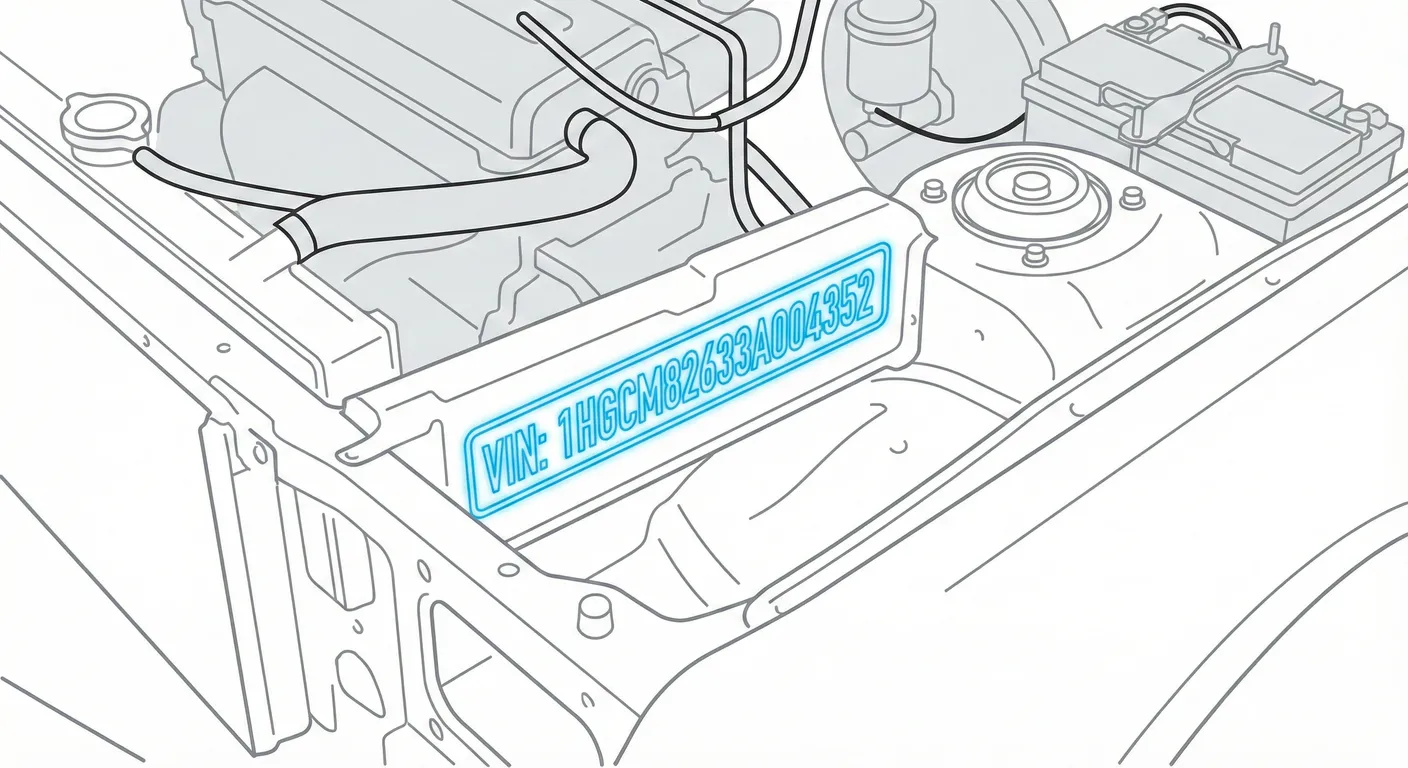
- Where to look: Open the hood and look at the top surface of the front slam panel (radiator support/lock platform), slightly to the right of the hood latch mechanism. You’ll see a black sticker/plate showing the VIN plus paint/weight data.
- Access: Low difficulty. No tools needed—just hood open. Flat surface, usually well-lit.
- Note: Works the same for LHD and RHD vehicles.
- Tip: If the label is dusty or the print is light, wipe it and use ScanVin’s VIN scanner to capture the VIN cleanly in one shot without misreading similar characters (8/B, O/0).
Windshield VIN Tag (Outside, Lower Left Corner) 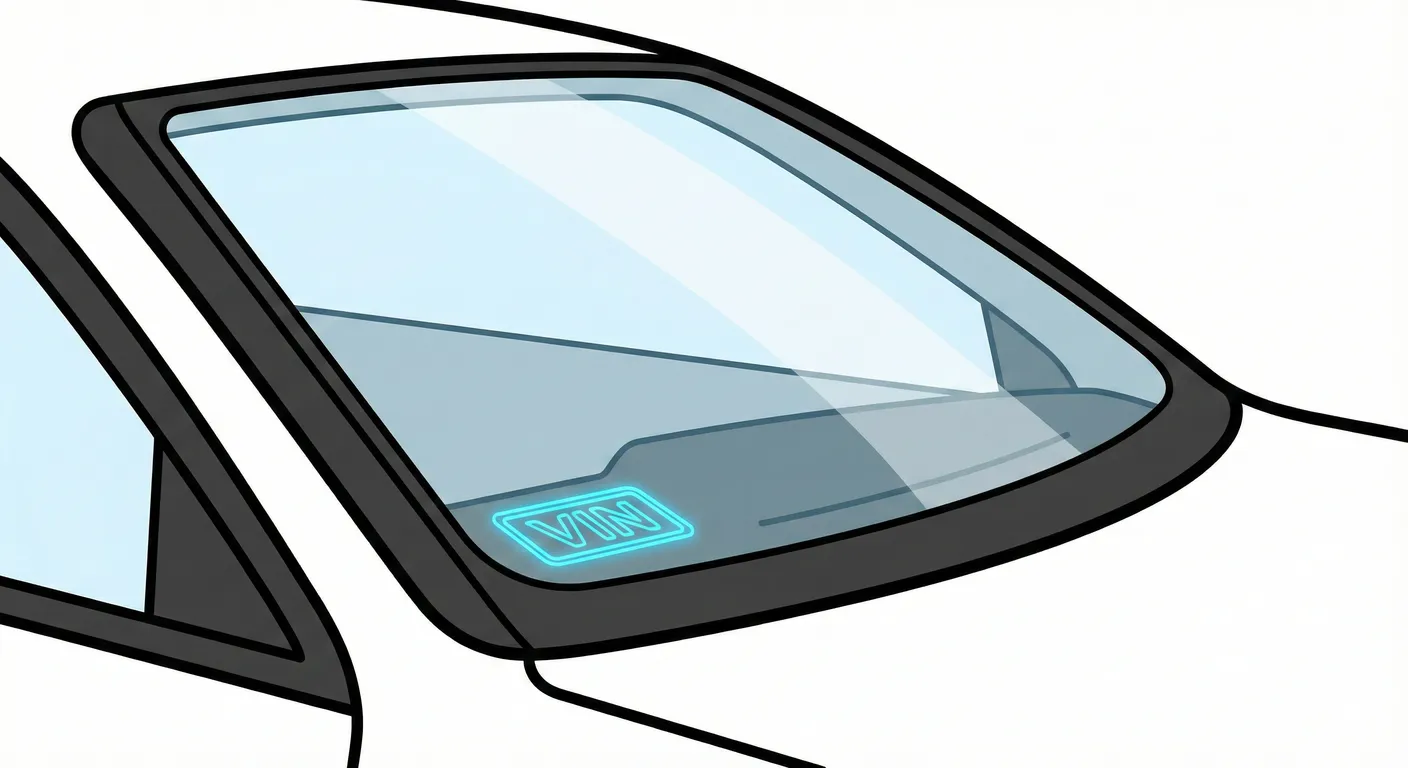
- Where to look: Stand outside the vehicle and check the bottom-left corner of the windshield (left side of the glass when facing the car). The VIN is displayed behind the glass on a standard VIN plate.
- Access: Medium difficulty. Usually easy to spot, but glare/reflections and tinted glass can make it annoying to read.
- Note: Same idea for LHD/RHD—it’s a visible tag behind the windshield.
- Tip: If reflections are hiding characters, scan the windshield VIN with your phone so the app can grab the string instantly instead of you fighting glare and transcription errors.
Stamped VIN on Chassis Frame (Right-Hand Chassis Rail) 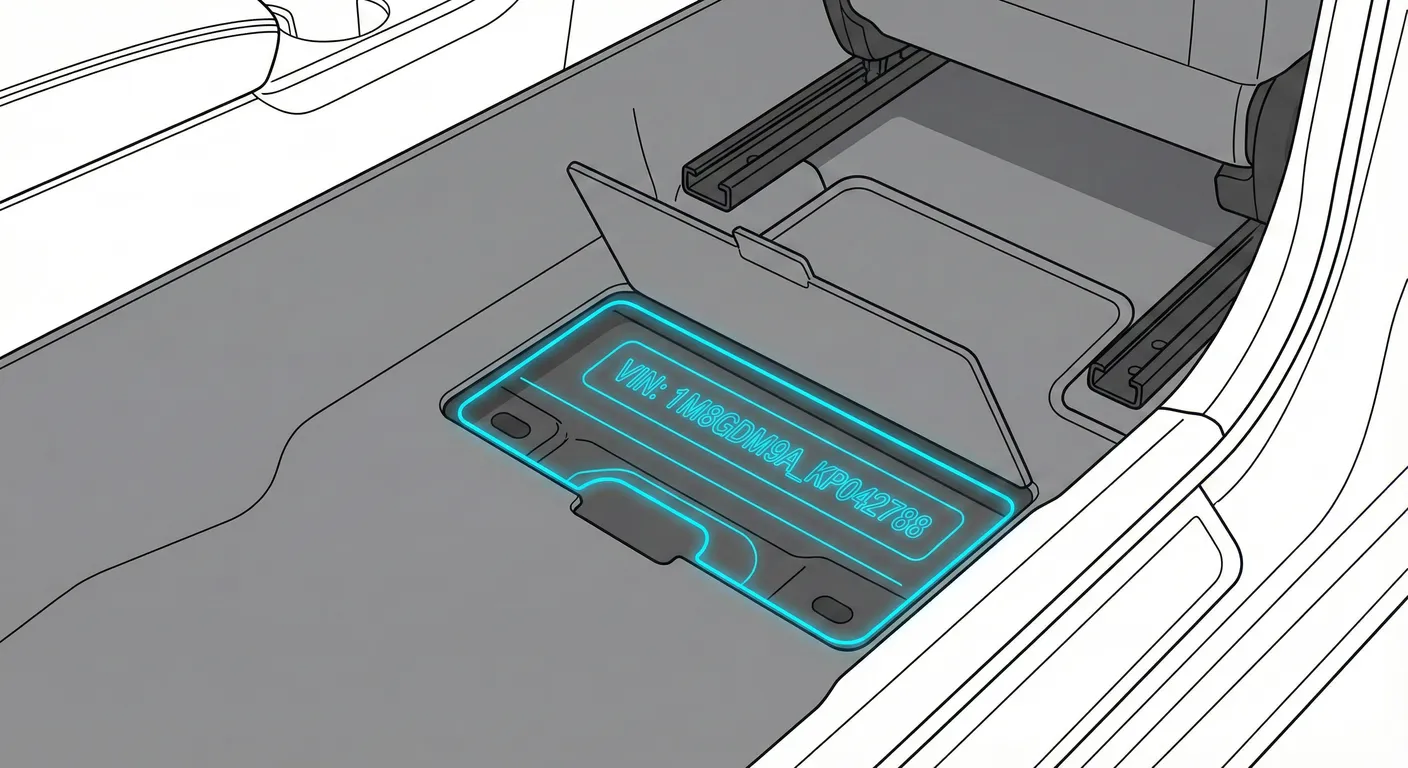
- Where to look: The VIN is stamped into the steel chassis on the right-hand chassis rail (right side of the vehicle as viewed from the rear). It’s roughly beneath the B-pillar / front door area, typically visible behind the front wheel arch when looking under the side steps.
- Access: High difficulty. You’ll be working under the vehicle—expect mud, road grime, and sometimes rust. You may need to scrub with a brush and use a flashlight. A lift helps, but kneeling/crawling is common.
- Note: The stamped chassis VIN stays on the right-hand frame rail regardless of LHD or RHD.
- Tip: Because it’s dark and dirty under there, clean the stamping and use ScanVin’s high-contrast VIN scan to decipher low-contrast characters without having to write them down in an awkward position.
Digital VIN (Instrument Cluster / Service Menu) 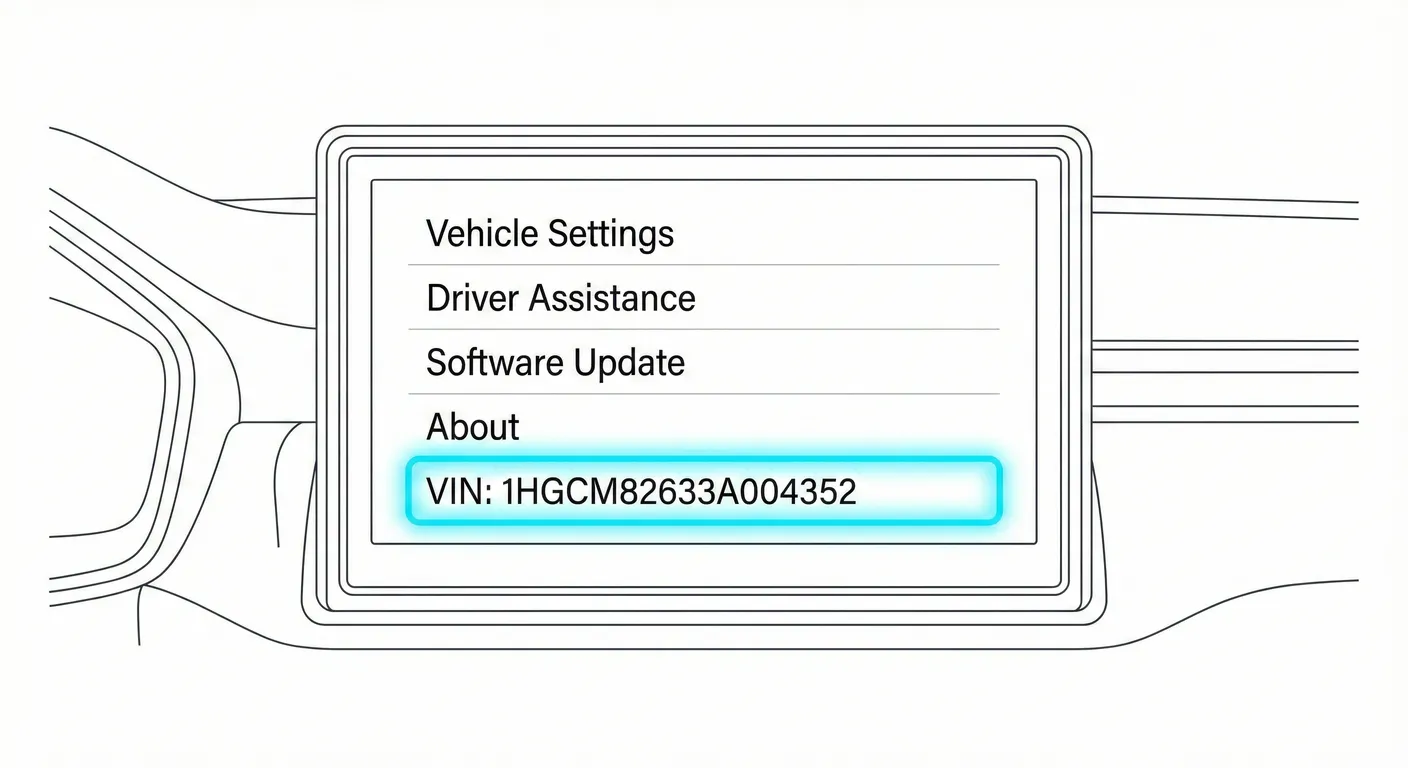
- Where to look: Use the cluster menu to display the VIN:
- Sit in the vehicle and close the doors.
- Turn Ignition ON (don’t start).
- Wait for the system checks to finish.
- Press OK on the steering wheel controls.
- Scroll to Service Menu (typically the last option).
- Select VIN Display / VIN Number.
- Access: Medium difficulty. The steps are simple once you know them, but screen glare and camera focus can interfere.
- Note: Button layout can vary slightly, but on this Discovery IV method the VIN is shown through the cluster service menu.
- Tip: If the screen flickers or reflects light, use ScanVin to scan the VIN from the display so you don’t mistype it when verifying documents or ordering parts.
Video Guide
Video Tutorial: land rover discovery 4 chassis number location
- Raw handheld footage showing the stamped chassis VIN underneath the vehicle on a stock Discovery 4.
Video Tutorial: LAND ROVER DISCOVERY 4 VIN LOCATION / CHASSIS NUMBER ...
- Mechanic-style walkthrough showing the engine bay manufacturer label and the chassis VIN.
Video Tutorial: Where is the VIN number of my Land Rover Discovery IV (2010–2016)
- Shows how to display the VIN in the instrument cluster service menu, plus a quick look at the windshield and engine-bay locations.
Common Problems & Troubleshooting
- Stamped chassis VIN unreadable: Road grime and rust can fill the stamping—scrub the rail, then use a flashlight at an angle to make the characters pop.
- Windshield VIN hard to read: Sun glare, reflections, and tint can hide digits—try a different viewing angle and clean the glass inside/out.
- Sticker vs. stamped VIN mismatch: Engine-bay labels can be replaced; for buying/verification, always cross-check the windshield + chassis stamp + paperwork and investigate any mismatch before proceeding.
Frequently Asked Questions
Where is the VIN on Land Rover Discovery IV?
Start with the manufacturer label on the front slam panel/radiator support in the engine bay (near the hood latch, slightly to the right). Also check the windshield VIN tag at the lower-left corner (viewed from outside).
Which VIN location is the most important for Land Rover Discovery IV?
For quick identification, the engine-bay label and windshield tag are easiest. For authenticity checks, the stamped VIN on the chassis frame is the most important because it’s physically stamped into the vehicle structure.
Ready to scan?
Start the scanner and scan the VIN in seconds. No registration, no fees.
Check other generations of this model
Note on Data Sources
Information about VIN location in this model comes from aggregation of official technical documentation (OEM) and spare parts catalogs. Despite careful algorithmic verification, the data is for reference purposes only. Final vehicle identification should always be confirmed by an authorized technician.
See how we verify data and build our database →