
Quick response
Quick Answer: The most reliable VIN location for the OPEL Meriva is the manufacturer’s VIN plate on the front slam panel in the engine bay. It’s typically riveted to the top of the radiator support near the passenger-side headlight (LHD). Expert tip: wipe off grease/grime first—small characters can be hard to read.
![VIN location OPEL Meriva Meriva A [2003-2010]](/_astro/vin-location-opel-meriva-a-2003-2010.CqiwwoXH.webp)
Where is the VIN number in OPEL Meriva (Meriva A [2003-2010])?
This guide shows you where to find the VIN (vehicle identification number) on the Opel Meriva A, produced between 2003 and 2010, using the quickest real-world inspection points a mechanic would check.
Chassis Number Locations
Engine Bay / Front Slam Panel (VIN Plate) 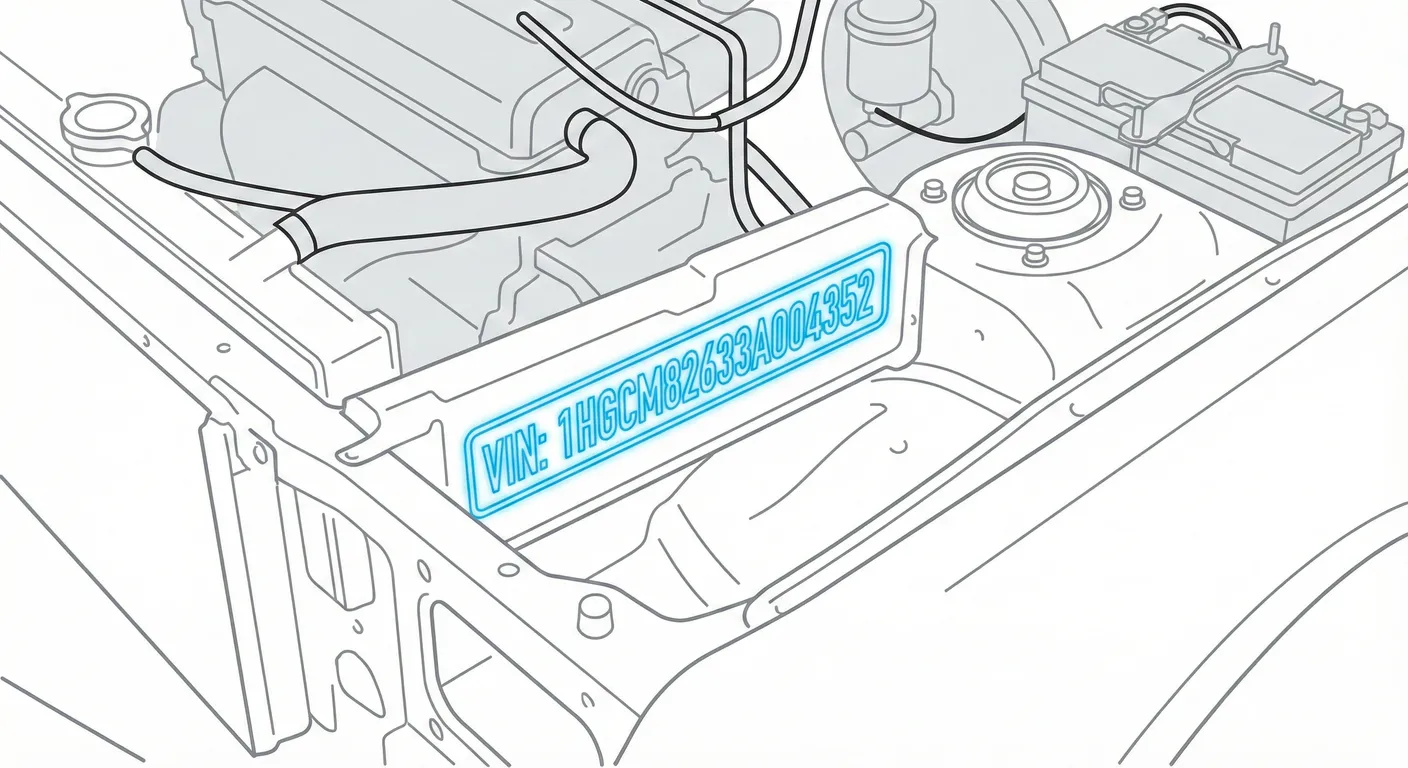
- Where to look: Open the bonnet and locate the metal manufacturer’s plate riveted to the top of the front slam panel (radiator support), near the passenger-side headlight on LHD vehicles. This plate typically lists the VIN along with weights and paint codes.
- Access: Very easy to access, but it’s often coated with engine-bay grime; the stamped/printed characters are small, and shiny metal can cause glare.
- Note: Written for LHD (left-hand drive). Stand at the front of the vehicle and check near the headlight on the vehicle’s right side (passenger side for LHD).
- Tip: If the plate is greasy or the text is faint, wipe it clean and then scan the VIN in High Contrast AI Mode to pull the characters without squinting.
Floor / Cabin (Stamped Chassis Number) 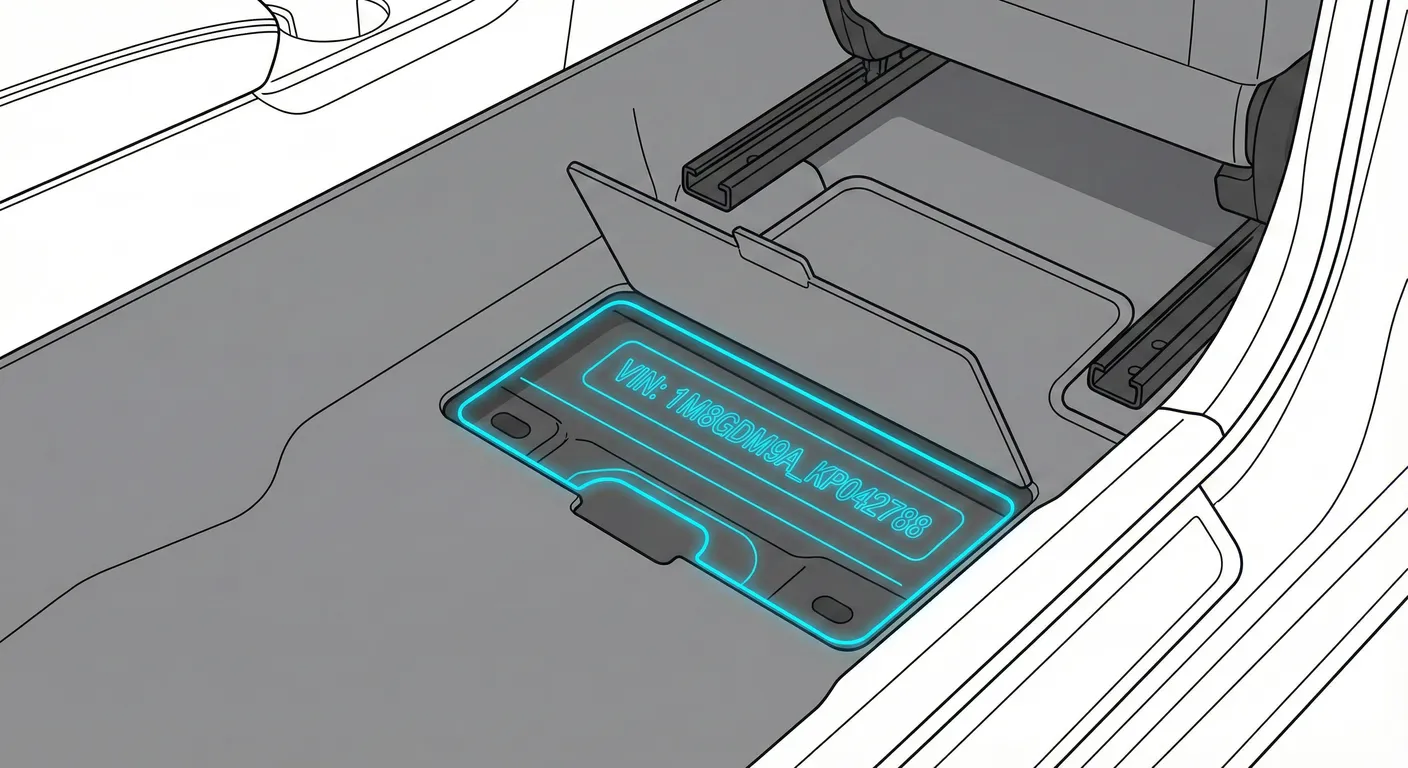
- Where to look: Open the front passenger door and check the front footwell floor area under a plastic flap cut into the carpet, positioned between the seat and the door sill.
- Access: Moderate— you must lift the carpet flap to expose the stamped metal underneath. It can be dirty or lightly corroded if moisture has entered the cabin, and the footwell is usually dark.
- Note: On LHD Meriva A, this is commonly on the passenger-side front footwell, but if you don’t find it there, check the driver-side footwell as well.
- Tip: Because it’s low down and shadowy, use your phone flash and scan it with the flashlight + OCR VIN reader instead of trying to read it at an awkward angle.
Dashboard / Windshield (Visible VIN) 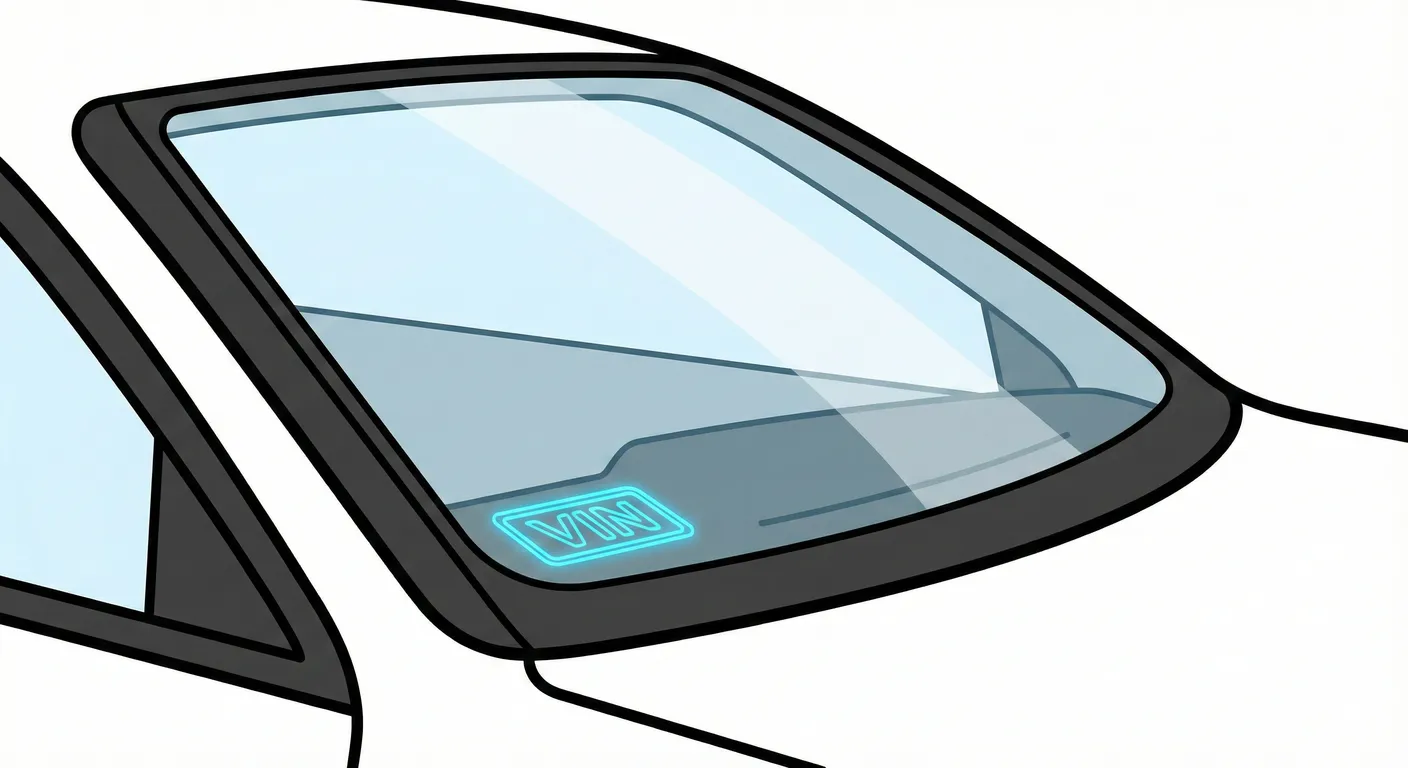
- Where to look: Look through the windshield at the lower corner on the driver’s side, where the VIN tag sits at the base of the A-pillar/dash area behind the glass.
- Access: Easy to locate, but scanning can be difficult due to windshield glare, reflections, or dirt on the glass.
- Note: This is the quickest “stand outside and check” VIN point, but not always the easiest to capture cleanly in bright sun.
- Tip: If reflections are fighting you, capture the VIN instantly with your phone to avoid transcription errors—shade the tag with your hand for best results.
Video Guide
Video Tutorial: Vauxhall Opel Meriva OBD Port and Fuse box and VIN number local
- Shows the engine bay VIN plate, the floor-stamped VIN under the carpet flap, the windshield VIN, plus the OBD port and fuse panel areas.
Common Problems & Troubleshooting
- Engine bay plate hard to read: grease/grime and sun glare on the metal plate can hide small characters—clean it first and re-check from a different angle.
- Floor-stamped VIN is dark/dirty: lifting the carpet flap exposes a low, shadowy area that may have dirt or corrosion—use a flashlight and wipe gently before reading.
- Sticker/tag mismatch warning: the windshield VIN tag is convenient, but always cross-check with a stamped/body VIN (like the floor stamp) when buying—stickers/plates can be replaced.
Frequently Asked Questions
Where is the VIN on OPEL Meriva?
Check the manufacturer’s VIN plate riveted to the front slam panel in the engine bay (near the passenger-side headlight on LHD), and the stamped chassis number under a carpet flap in the front footwell floor area.
Which VIN location is the most important for OPEL Meriva?
The stamped chassis number in the body (floor/footwell stamp) is the most important for identity checks because it’s physically stamped into the vehicle structure and is harder to tamper with than a tag behind glass or a bolt-on plate.
Ready to scan?
Start the scanner and scan the VIN in seconds. No registration, no fees.
Check other generations of this model
Note on Data Sources
Information about VIN location in this model comes from aggregation of official technical documentation (OEM) and spare parts catalogs. Despite careful algorithmic verification, the data is for reference purposes only. Final vehicle identification should always be confirmed by an authorized technician.
See how we verify data and build our database →