
Quick response
Quick Answer: The most reliable VIN location for the Volkswagen Arteon is the B-pillar (door jamb) VIN label. It’s a tamper-proof sticker you can read when you open the front door (on the B-pillar area). Expert tip: If the label is scuffed or the barcode is worn, scan it instead of typing it.
![VIN location Volkswagen Arteon [2018-2019]](/_astro/vin-location-volkswagen-arteon-2018-2019.DZxoCkbR.webp)
Where is the VIN number in Volkswagen Arteon (2018-2019)?
This guide covers the VIN (Vehicle Identification Number) locations for the Volkswagen Arteon produced between 2018 and 2019, including the quickest spots to check and the harder “backup” stampings.
Chassis Number Locations
B-Pillar (Door Jamb) Label 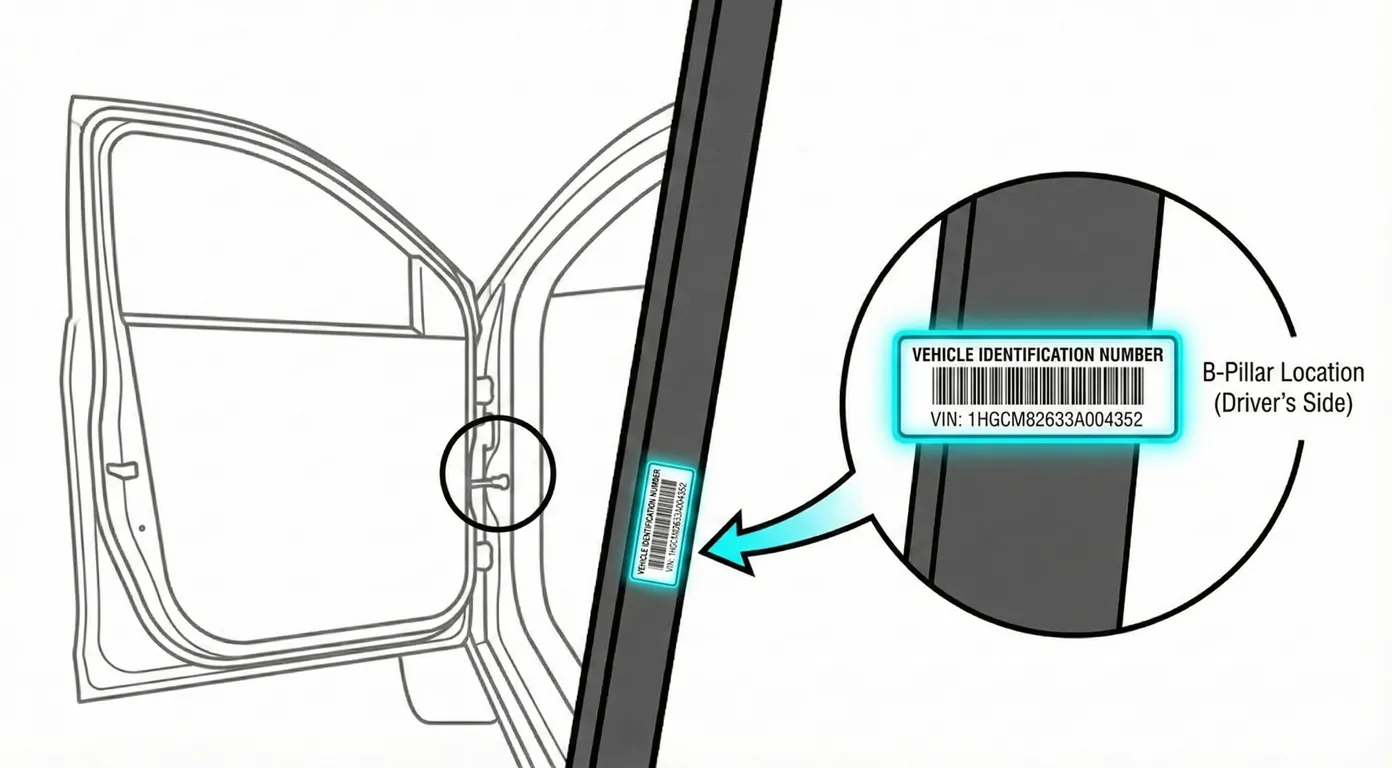
- Where to look: Open the front door and inspect the lower section of the B-pillar area. You’re looking for a black or silver tamper-proof sticker that lists the VIN plus production/weight information.
- Access: Usually the easiest VIN to reach. The downside is wear and tear—people rub it with shoes/clothes getting in and out, which can damage the barcode/text.
- Note: Depending on market/region, the label may be on the left or right side B-pillar area (check both front door openings if you don’t see it immediately).
- Tip: If the barcode is scratched or the print is faded, scan it directly with your phone to avoid misreading characters like 8/B or 5/S.
Windshield (Dashboard) 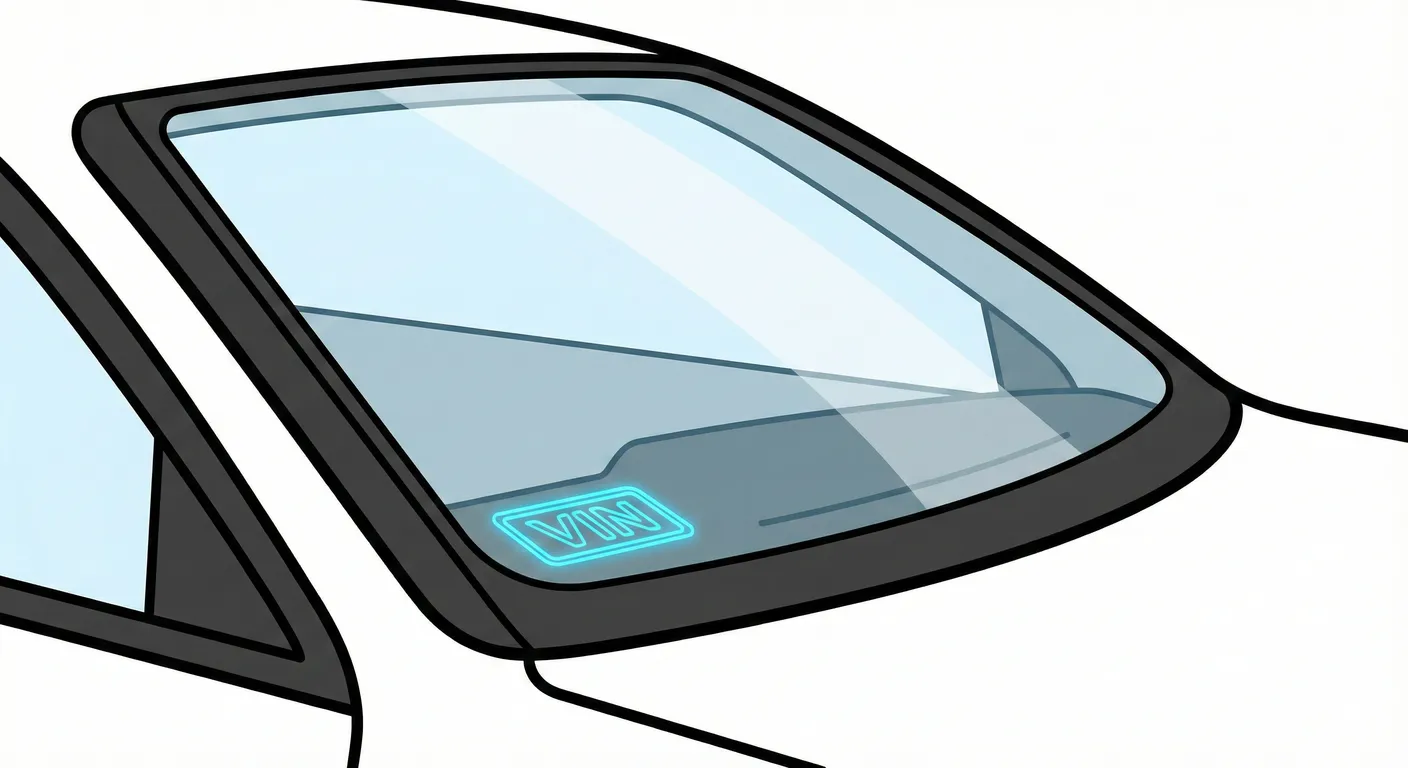
- Where to look: From outside the car, look through the lower corner of the windshield, where the VIN plate sits on top of the dashboard (commonly on the left/lower corner of the glass).
- Access: Fast to check, but glare/reflections can make the digits hard to read. Sometimes the view is partially blocked by wipers if they’re not parked.
- Note: This is a universal “quick check” location and is often the first one inspectors look at.
- Tip: If reflections are washing out the numbers, capture the VIN instantly with your camera so you don’t have to squint through glass and risk a transcription error.
Engine Bay (Chassis Stamp) 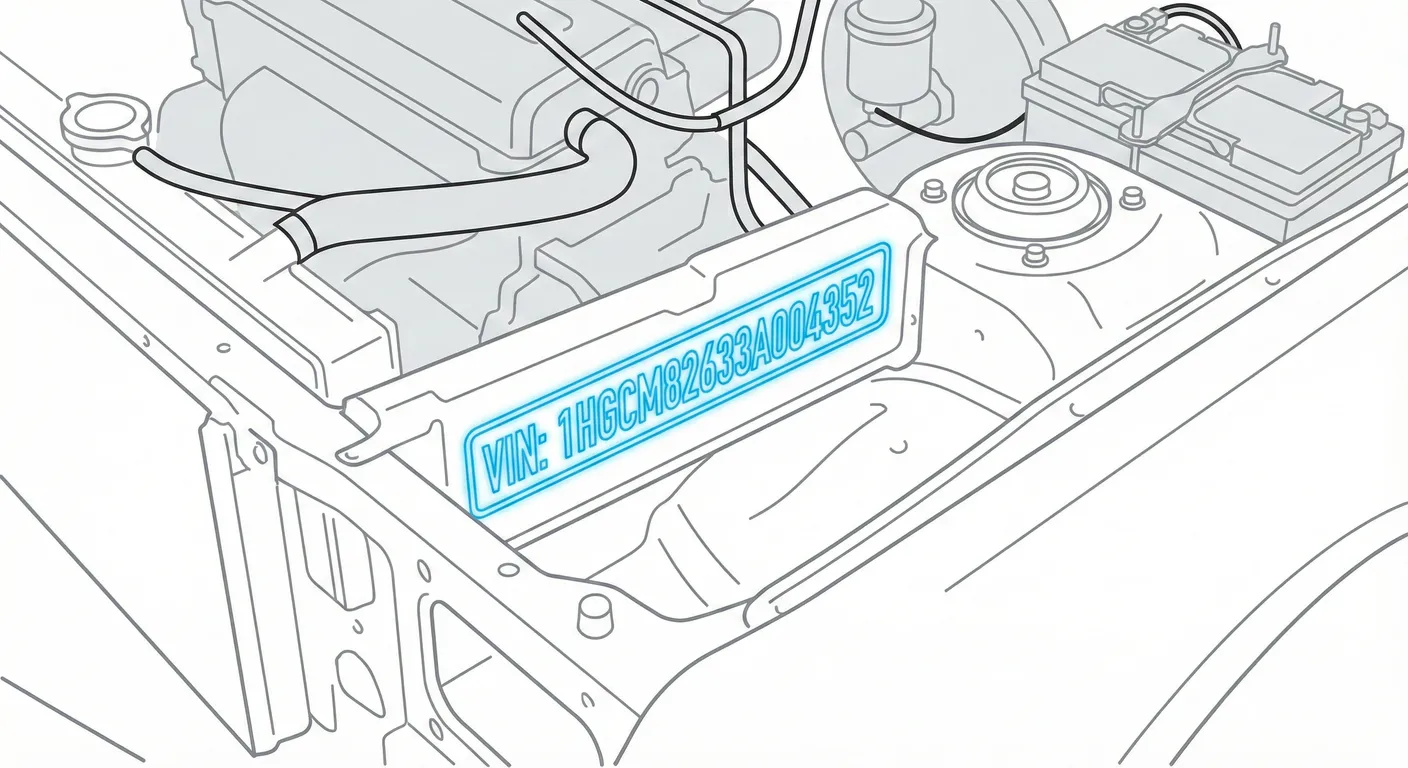
- Where to look: With the hood open, inspect for a VIN stamped into the metal—commonly near the passenger-side strut tower, firewall area, or along the fender apron/side rail.
- Access: High difficulty. It may be dirty/greasy, hidden by plastic covers, or hard to light properly. Painted stampings can also have low contrast.
- Note: This is a “hard proof” VIN location used for verification, but it’s not the most user-friendly.
- Tip: If the stamping is grimy or low-contrast, wipe it and then use High Contrast AI scanning to pull the characters out of the background.
Trunk Floor (Boot) Build Sticker 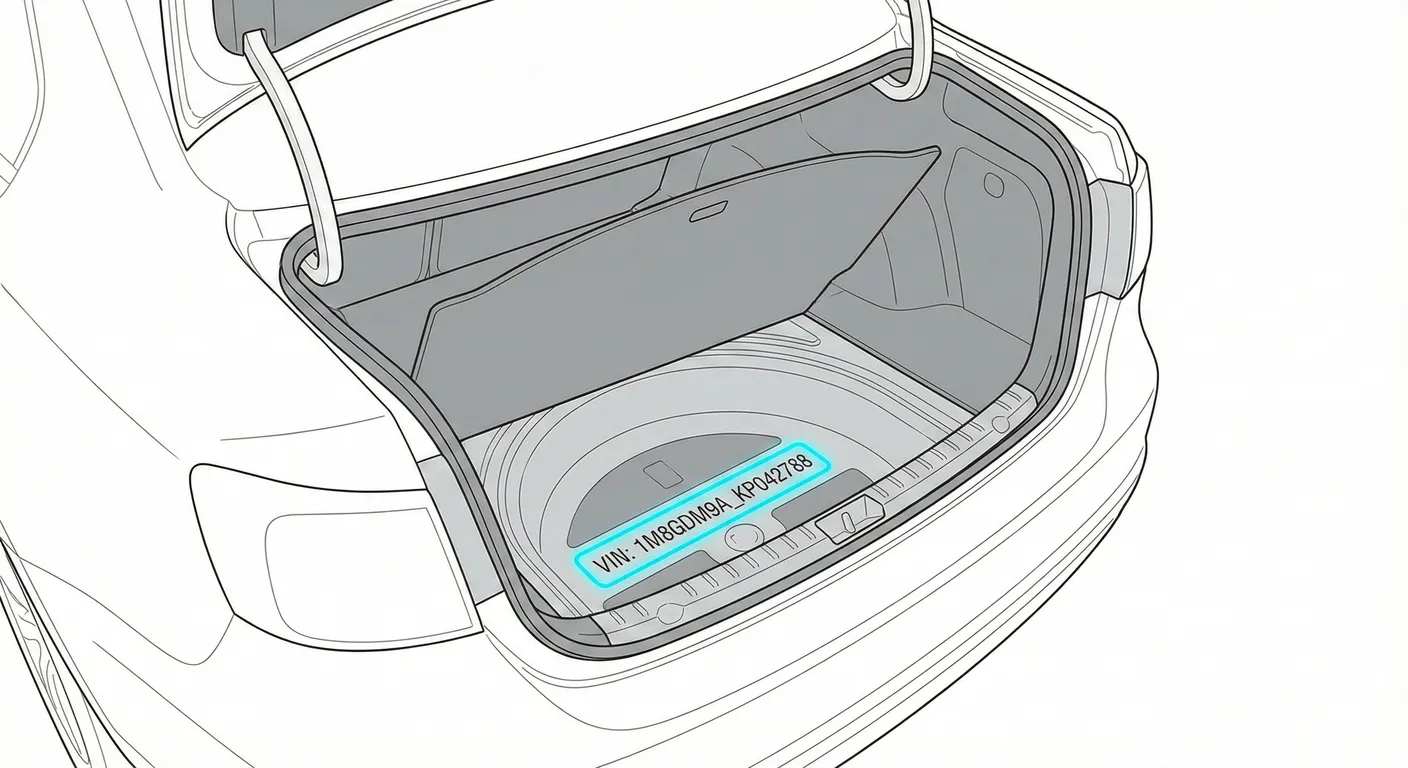
- Where to look: Open the trunk and lift the carpet/floor panel. Check the metal floor near the spare wheel well (often left side area). You’re looking for a white paper build sticker showing VIN plus engine/paint/option codes.
- Access: Moderate effort—floor panels can be stiff/heavy, and the sticker is paper (can tear or get damaged by cargo moisture).
- Note: This one is especially useful if you also need paint code / option codes, not just the VIN.
- Tip: If you’re bent over in the trunk and don’t want to write down long codes, scan the sticker in one shot to capture the VIN and data cleanly.
MMI / Infotainment System (Vehicle ID) 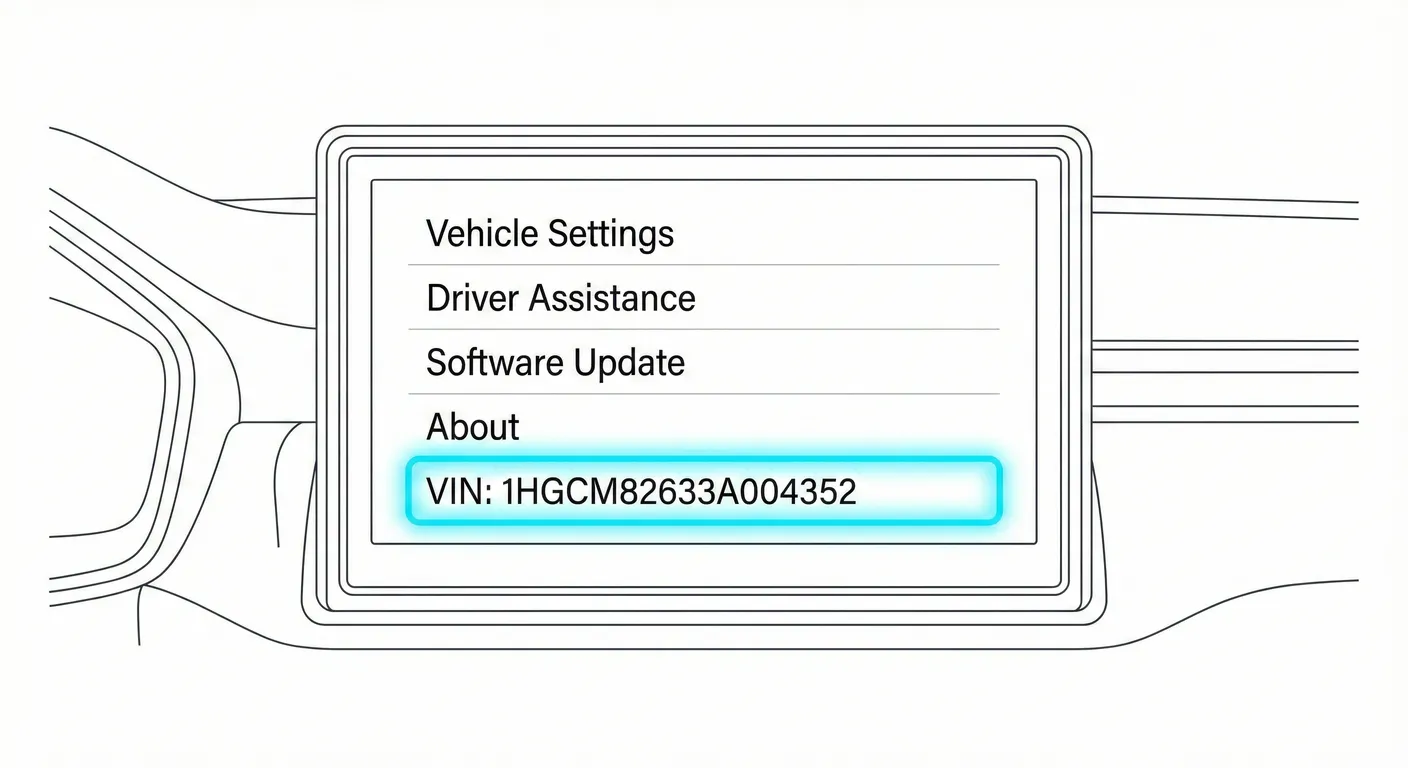
- Where to look: On the infotainment screen: Car / Menu → Settings → Service → Vehicle Identification Number (wording can vary slightly by software version).
- Access: Requires the vehicle to have battery power (ignition on/accessory mode). Main issue is screen glare and fingerprints.
- Note: Useful as a convenience check, but for buying/inspection you should still match it to a physical VIN location.
- Tip: If the display is glossy and reflecting light, use your phone to scan the VIN right off the screen instead of manually copying it.
Common Problems & Troubleshooting
- Windshield VIN is unreadable: Reflections/glare or wipers blocking the corner can hide digits—change your viewing angle, shade the glass, or scan it.
- Engine bay VIN stamp won’t show clearly: Dirt/grease/paint makes the stamping low-contrast—scrub gently and use strong lighting before scanning.
- Sticker validity warning: If the B-pillar label looks tampered with (bubbled edges, mismatched font, obvious reprint), verify the VIN against the windshield and a stamped metal location before trusting it.
Frequently Asked Questions
Where is the VIN on Volkswagen Arteon?
Check the B-pillar (door jamb) VIN label with the front door open, then confirm it on the lower corner of the windshield VIN plate.
Which VIN location is the most important for Volkswagen Arteon?
For quick identification, the B-pillar label and windshield plate are the most important because they’re accessible and commonly used for registration/inspection. For anti-tamper verification, matching the engine-bay stamped VIN to those labels is the strongest check.
Ready to scan?
Start the scanner and scan the VIN in seconds. No registration, no fees.
Note on Data Sources
Information about VIN location in this model comes from aggregation of official technical documentation (OEM) and spare parts catalogs. Despite careful algorithmic verification, the data is for reference purposes only. Final vehicle identification should always be confirmed by an authorized technician.
See how we verify data and build our database →