
Quick response
Quick Answer: The most reliable VIN location for the Opel Insignia is the manufacturer’s label sticker on the B-pillar (front passenger door jamb on most LHD cars). It’s on a flat, high-contrast sticker low on the pillar, making it easy to read. Expert tip: if the sticker is missing or painted over, verify the stamped VIN in the engine bay (firewall) with a flashlight.
![VIN location Opel Insignia A [2009-2016]](/_astro/vin-location-opel-insignia-a-2009-2016.3NVgof2E.webp)
Where is the VIN number in Opel Insignia (A) [2009-2016]?
This guide covers the chassis/VIN number locations on the Opel Insignia A (2009–2016), including the easiest sticker location and the stamped “backup” locations used for identity checks.
Chassis Number Locations
B-Pillar / Door Jamb Manufacturer Sticker 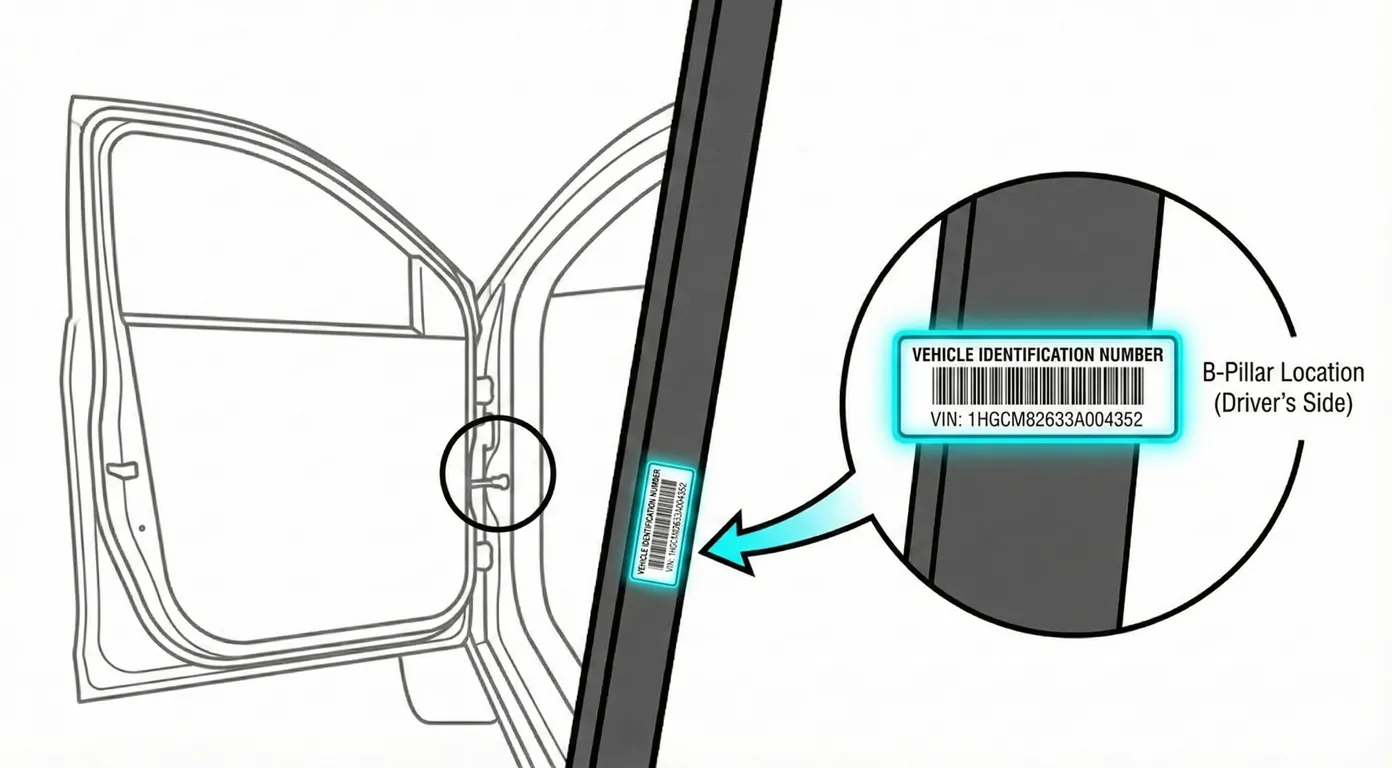
- Where to look: Open the front passenger door (for most LHD Insignias). Look low on the B-pillar, near the rocker/threshold area, for a black manufacturer label showing the VIN plus weights/paint data.
- Access: Very easy—good lighting and a flat surface; usually no tools needed.
- Note: On RHD cars (like the example vehicle in the video), the same label may be on the front-left door jamb instead. Use the front passenger side for LHD first, then check the opposite side if needed.
- Tip: Because it’s high-contrast and flat, you can scan it directly with your phone to avoid mistyping long VIN characters.
Engine Bay – Firewall / Bulkhead Stamped VIN 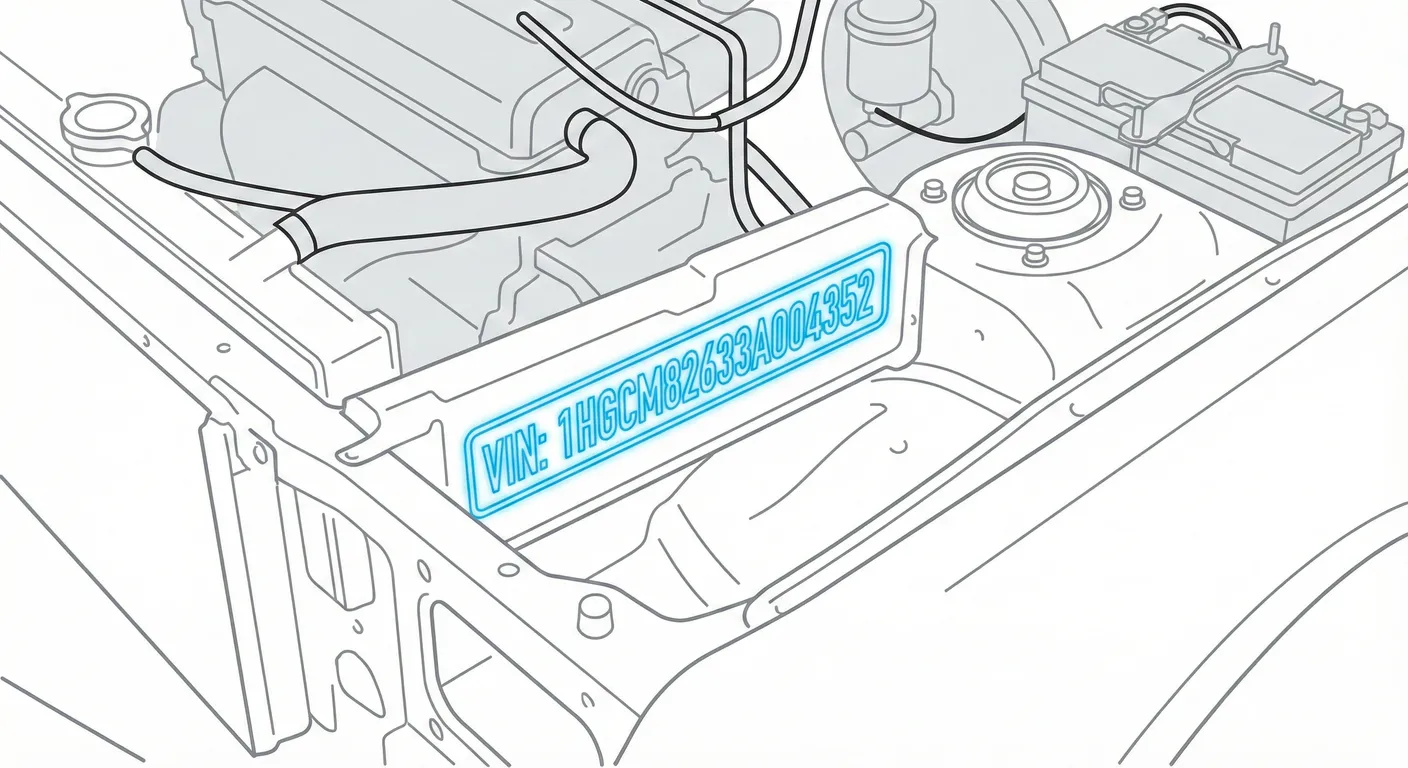
- Where to look: Open the hood. Go to the center of the firewall/bulkhead, just below the windshield cowl. Look for a cutout “window” in the plastic trim/weather strip—the VIN is stamped into the metal underneath. You may need to lift the rubber weather strip slightly to see it clearly.
- Access: Medium difficulty—this area often has heavy dirt/grime, and the hood creates shadows.
- Note: This is a strong “identity check” location because it’s stamped into the body, not just a sticker.
- Tip: If the stamping is dirty or rusty, use ScanVin’s High Contrast AI Mode to capture it cleanly instead of scrubbing until the numbers smear with grime.
Lower Windshield / Dashboard VIN Plate View 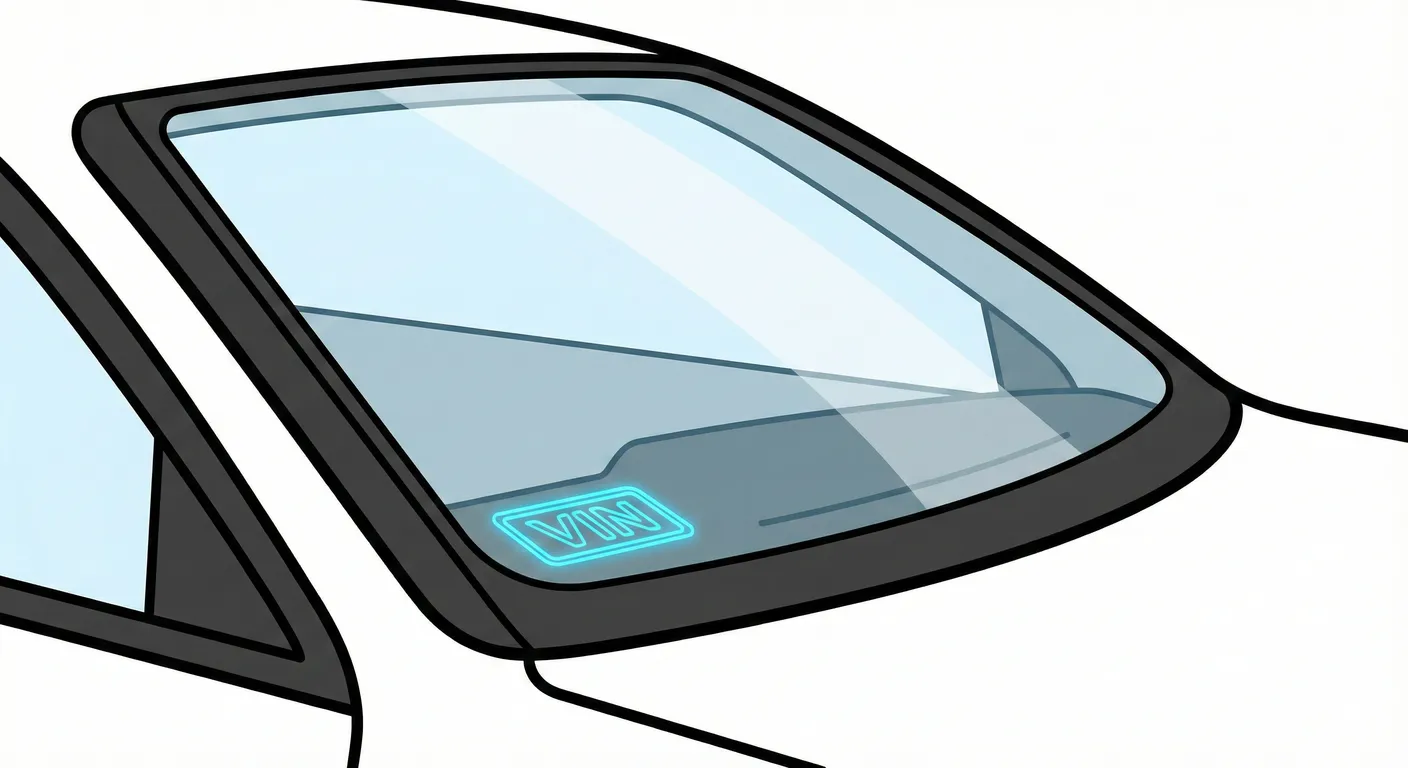
- Where to look: Stand outside the car and look through the bottom corner of the windshield on the passenger side. The VIN sits in a small notch/cutout in the dash’s blacked-out area.
- Access: Easy to spot, but readability depends on glass condition and lighting.
- Note: If reflections are bad, try changing your viewing angle from outside (move left/right a few inches).
- Tip: Windshield glare can make “8/B/3” look identical—capture it instantly with the VIN scanner so you don’t transpose characters.
Front Footwell Floor Stamping (Under Carpet/Flap) 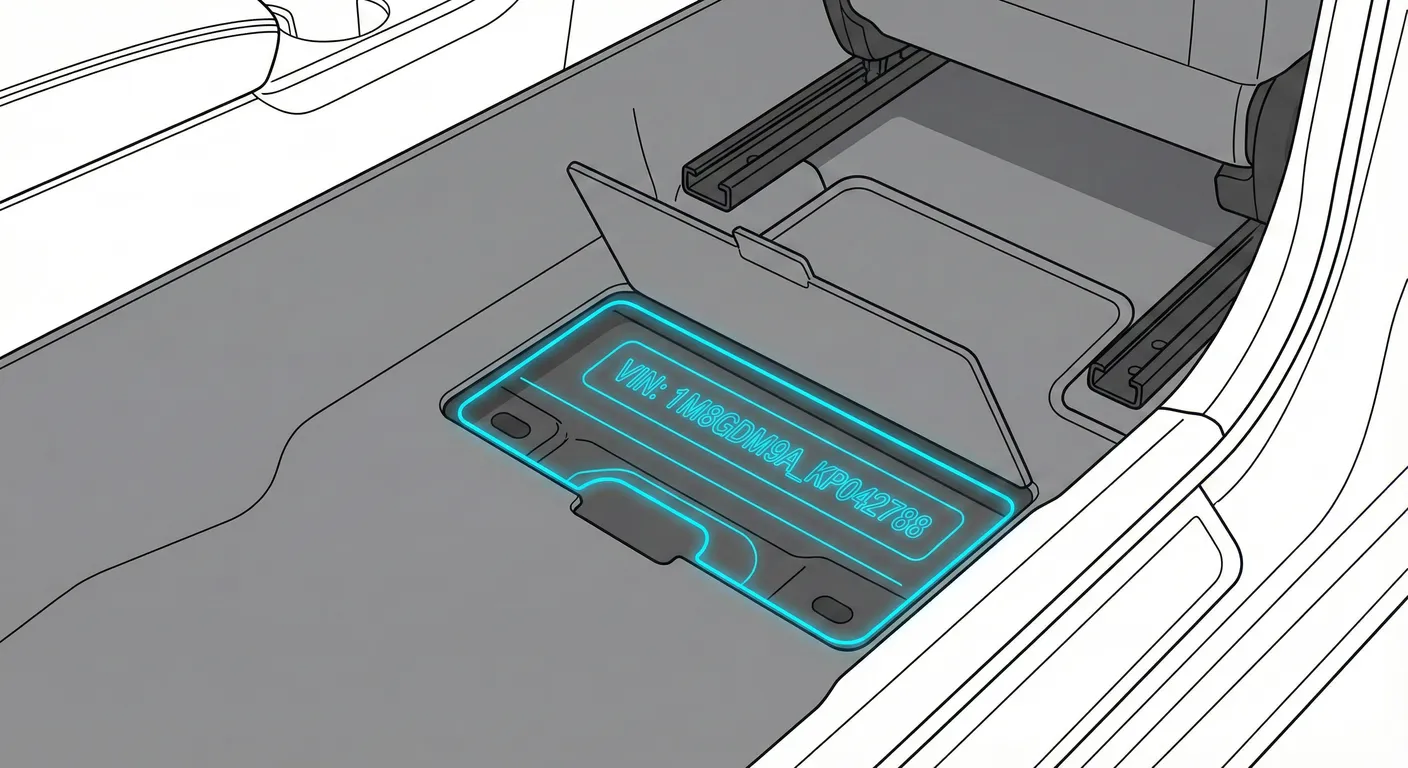
- Where to look: Slide the front seat back and check the front footwell floor for a pre-cut carpet/plastic flap over a cross-member. Lift the flap to reveal the stamped chassis number.
- Access: Moderate—requires kneeling, lifting trim/carpet, and working in a dark area.
- Note: Floor VIN placement can vary by configuration. On many LHD cars it’s commonly on the passenger side, but check the driver side footwell if you don’t find it.
- Tip: Because it’s dark and awkward to photograph, use ScanVin’s Flashlight + OCR scanning so you don’t have to write the stamping down by hand.
Engine Block Number / Derivative (Hard-to-See)
- Where to look: On a flat machined surface on the engine block (often near hot/dirty areas such as around the manifold region). The exact marking is difficult to view without moving hoses/shields on some engines.
- Access: High difficulty—tight angles, heat, grease, and corrosion make it hard to read.
- Note: Treat this as a secondary/confirming mark, not your first choice for a VIN check.
- Tip: If you must read it in a cramped spot, scan it instead of copying it manually to reduce errors when access is poor.
Video Guide
Video Tutorial: Vauxhall Insignia (2009) chassis and vin plate location
- Shows the firewall/bulkhead stamped VIN, the windshield VIN view, and the door jamb sticker on a real-world (dirty) Insignia.
Common Problems & Troubleshooting
- Dirt/rust on stamped VINs (engine bay/firewall): Spray a mild cleaner, wipe, then use a flashlight at a low angle to make the stamping cast a shadow you can read.
- Windshield reflections hide digits: Clean the outside glass and change angle (step sideways) to cut glare before scanning/reading.
- Door jamb sticker issues: Stickers can be missing, damaged, or painted over after repairs—always cross-check the sticker VIN against a stamped VIN location when buying or verifying identity.
Frequently Asked Questions
Where is the VIN on Opel Insignia?
Check the manufacturer VIN label on the B-pillar/door jamb first, then verify using the stamped VIN on the engine bay firewall/bulkhead under the windshield cowl.
Which VIN location is the most important for Opel Insignia?
For quick identification, the B-pillar sticker is the easiest to read. For verification (especially when buying), the stamped body VIN on the firewall/bulkhead is the most important because it’s permanently marked into the chassis.
Ready to scan?
Start the scanner and scan the VIN in seconds. No registration, no fees.
Check other generations of this model
Note on Data Sources
Information about VIN location in this model comes from aggregation of official technical documentation (OEM) and spare parts catalogs. Despite careful algorithmic verification, the data is for reference purposes only. Final vehicle identification should always be confirmed by an authorized technician.
See how we verify data and build our database →