
Quick response
Quick Answer: The most reliable VIN location for the SEAT Leon I (1M) is the stamped VIN in the engine bay on the firewall/bulkhead (inside the plenum chamber under the wipers). It’s typically hidden under the scuttle area and can be dirty—use a flashlight and clean the area to read it clearly.
![VIN location SEAT Leon Leon I (1M) [2001-2004]](/_astro/vin-location-seat-leon-i-1m-2001-2004.D3bZFtPz.webp)
Where is the VIN number in SEAT Leon I (1M) [2001-2004]?
This guide covers where to find the VIN (chassis number) on the SEAT Leon I (1M) produced between 2001–2004, including the most reliable stamped location and the common backup spots.
Chassis Number Locations
1) Engine Bay (Bulkhead / Scuttle Panel) 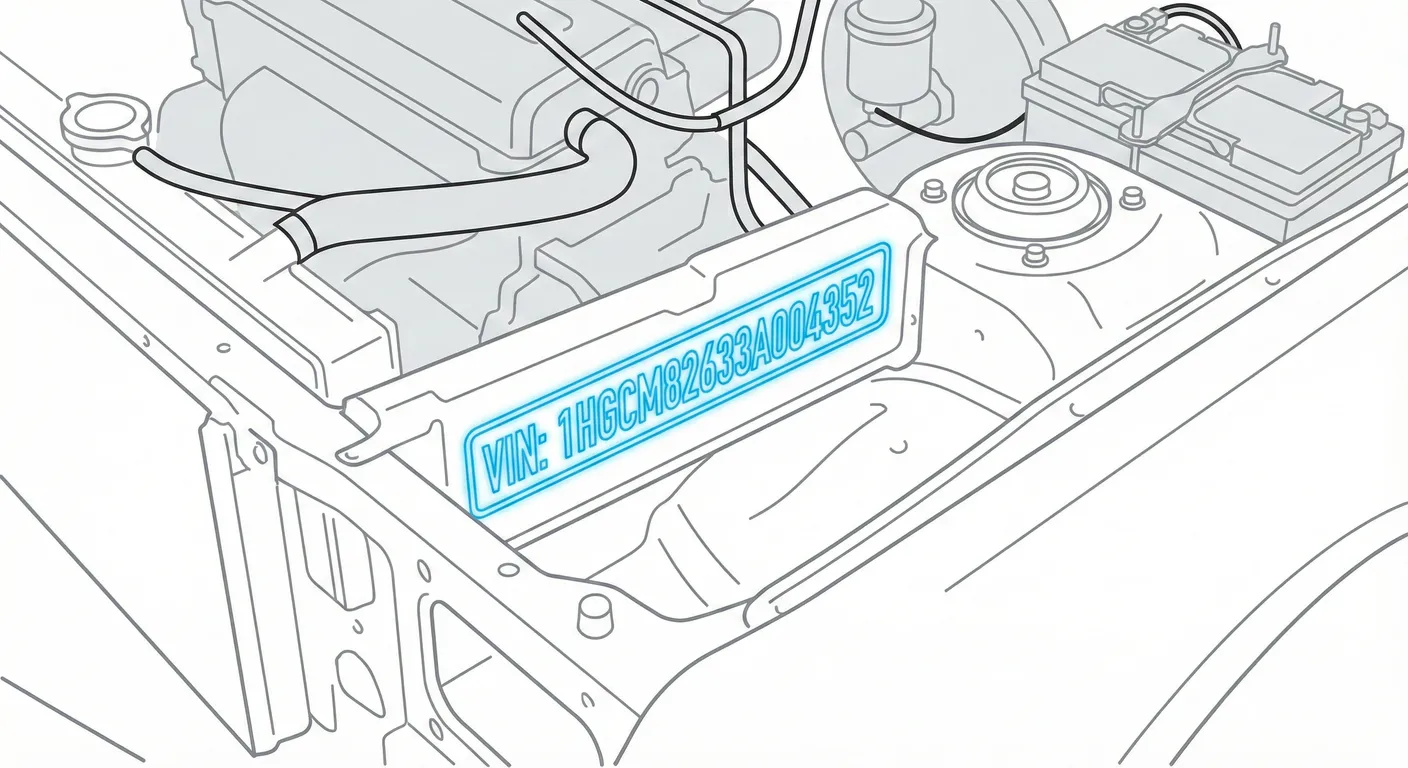
- Where to look: The VIN is stamped into the metal firewall/bulkhead at the rear of the engine bay, inside the plenum chamber (“water box”) area just below the windshield wipers.
- Access: Lift the rubber weatherstrip and/or remove/raise the plastic scuttle cover to open up the plenum area. Expect leaves, grime, and shadow—you may need to scrub the stamping to make every character readable.
- Note: This is the most consistent, “hard” VIN location on the Leon 1M platform (metal stamp, not a sticker).
- Tip: Because this area is often dirty and the stamping can look faint, use High Contrast AI Mode to scan it directly with your phone after a quick wipe-down.
2) Windshield (Dashboard Corner) 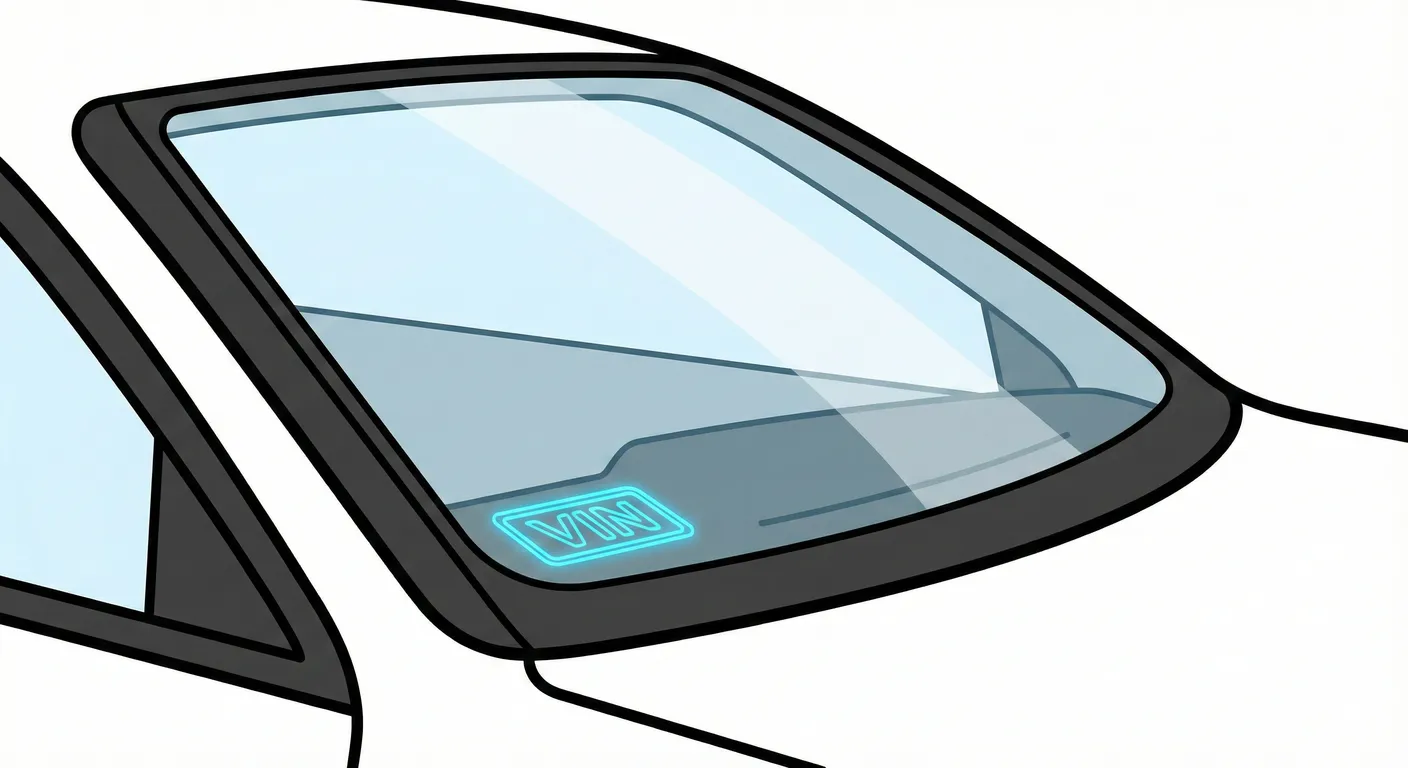
- Where to look: Check the lower corner of the windshield, looking through the glass into the dashboard corner for a VIN plate.
- Access: No tools—just look from outside and inside, but you’ll fight glare/reflections.
- Note: On the Leon 1M, not all cars have a visible windshield VIN plate (some have the cutout/space but it’s blank/covered). LHD (EU) cars typically have this plate on the left side of the dash (as seen from the driver seat).
- Tip: To beat reflections and avoid transcription mistakes, capture the VIN instantly with the ScanVin.app VIN reader and let OCR grab the characters when the angle is right.
3) Trunk / Boot (Vehicle Data Sticker) 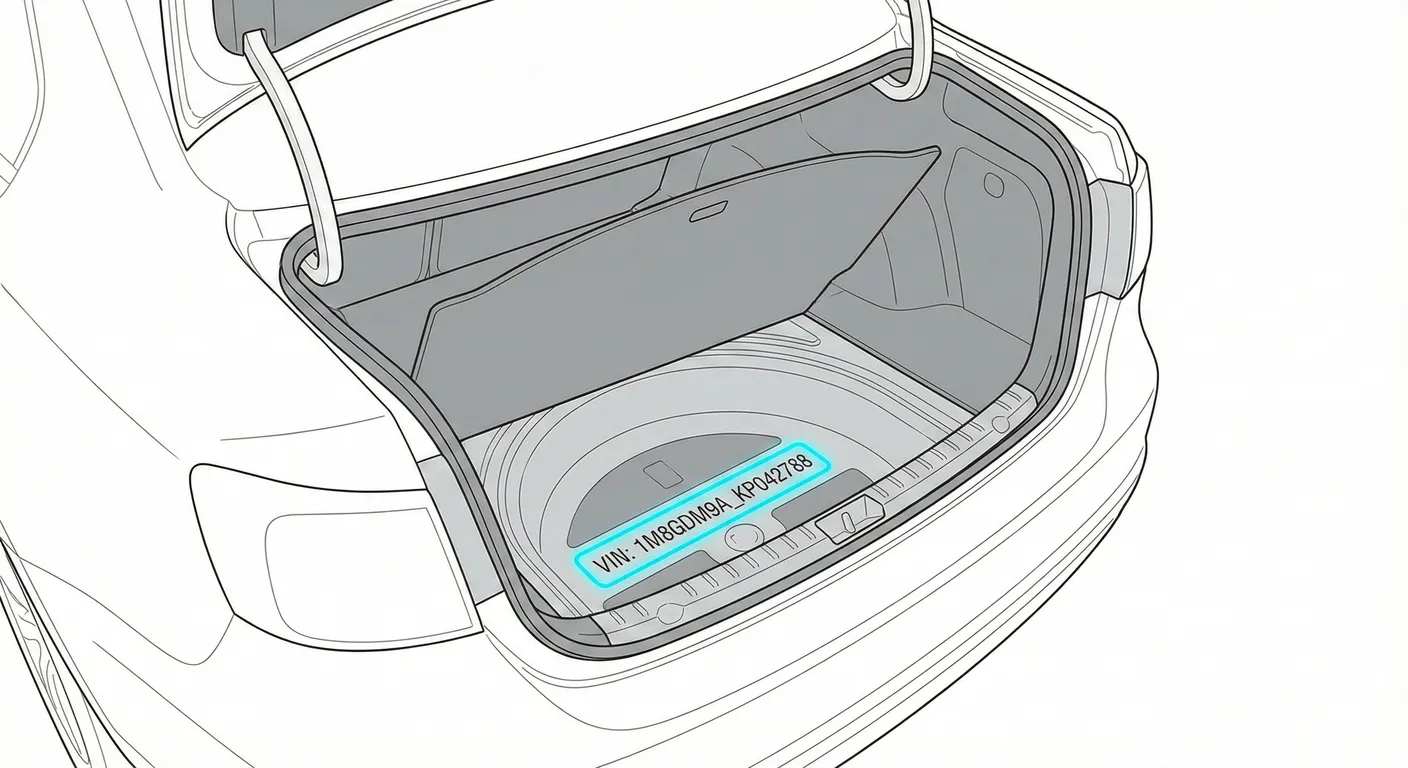
- Where to look: Lift the boot carpet and look on the metal boot floor, usually near the spare wheel well, for a white paper Vehicle Data Sticker (often includes VIN and option codes).
- Access: Remove the trunk mat and possibly the spare wheel cover. On older cars these stickers are commonly torn, faded, or water-damaged.
- Note: Treat this as a backup ID—it’s useful, but it’s still a paper label.
- Tip: If the sticker is worn and hard to read, scan the text with your camera so you don’t have to crouch in the boot and guess characters manually.
Common Problems & Troubleshooting
- Plenum chamber VIN is buried under debris: Leaves and mud pack under the scuttle—pry up the seal, open the cover, and scrub the stamping before trying to read it.
- Windshield VIN issues: Strong glare can hide characters, and some Leon 1M cars don’t have a windshield plate at all—move to the engine-bay stamped VIN if it’s blank.
- Boot sticker isn’t “proof” anymore: The paper data sticker can be missing/damaged on a 20+ year old car—always confirm the VIN against the stamped metal VIN and the vehicle documents.
Frequently Asked Questions
Where is the VIN on SEAT Leon I (1M)?
The most reliable VIN is stamped on the firewall/bulkhead inside the plenum chamber under the windshield wipers. A secondary location may be visible at the lower corner of the windshield (if equipped), and a backup is the vehicle data sticker under the boot carpet near the spare wheel well.
Which VIN location is the most important for SEAT Leon I (1M)?
The stamped VIN in the engine bay (firewall/bulkhead) is the most important because it is permanently stamped into the body shell and is the hardest to tamper with compared to paper stickers or optional dashboard plates.
Ready to scan?
Start the scanner and scan the VIN in seconds. No registration, no fees.
Check other generations of this model
Note on Data Sources
Information about VIN location in this model comes from aggregation of official technical documentation (OEM) and spare parts catalogs. Despite careful algorithmic verification, the data is for reference purposes only. Final vehicle identification should always be confirmed by an authorized technician.
See how we verify data and build our database →